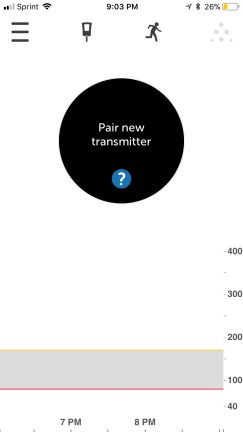
Restarting the Dexcom G6: Attempt #2

“If there’s a will, there’s a way.” This statement totally describes the Diabetes Online Community (DOC) and its collective determination to find workarounds when it comes to extending the life of certain diabetes devices.

In November, I briefly wrote about my first stab at restarting my Dexcom G6, which was completely unsuccessful. So why bother going through with a second attempt at it? Two reasons: 1) I know that other T1Ds have been able to triumphantly restart the G6, and 2) I know that there are multiple methods out there that people have used in order to do so.

I wasn’t necessarily on the hunt for a method I hadn’t tried yet, but I stumbled across one when I was scrolling through my Instagram feed a few weeks ago. Shout-out to Leah (Instagram handle: @the.insulin.type) for sharing her technique, which you can view for yourself by clicking this link.

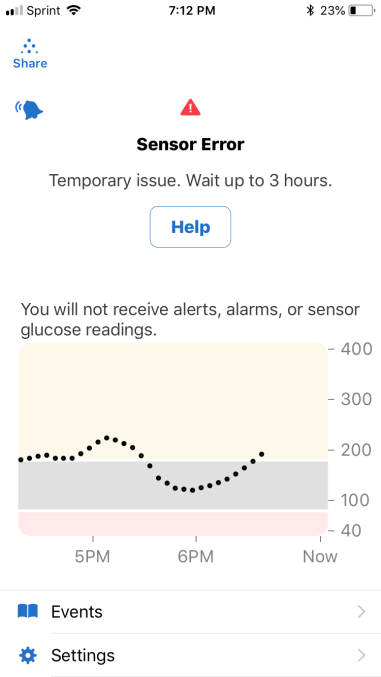
You’re probably wondering whether it worked for me, so let me cut to the chase and give you a super annoying answer: yes and no. I restarted the G6 according to Leah’s process, but received the “Sensor Error: Temporary issue. Wait up to 3 hours.” message, which resulted in graphs with sporadic gaps created by a lack of readings. That message popped up at least three or four times over the next 48 hours, before the “sensor failed” message notified me that I had to put a brand new sensor on and finally get rid of the restarted one.

This means that attempt #2 went better than my first try at restarting a sensor, but it was far from the flawless restarts that I know other people have experienced.

I haven’t given up hope, though. I do think that I’ll achieve success, eventually, after some more trial-and-error. I do have my theories that might explain why this didn’t go as well as I wanted it to, and it has to do with the following factors:

  • I restarted my sensor on day eight of wear
  • The sensor error message was on my receiver when I began the restart process

Next time I try this method, I want to see if it makes any difference to let the sensor expire naturally on the tenth day of wear. And if that doesn’t work, I want to at least give it another shot when the sensor and receiver are communicating properly and there are no error messages causing interference.

All in all, the experiment wasn’t a total failure. I did manage to extend the sensor’s life by about six hours – it was due to expire at 2 o’clock in the afternoon on the tenth day of wear, but the sensor didn’t fail completely until about eight o’clock that night. So TECHNICALLY speaking, I got a bit more usage out of it…but then again, those six hours (and probably slightly more than that) got wiped out by those stretches of time that I was dealing with sensor errors.

As I work through more restart attempts, rest assured that I’ll post about them so hopefully someone else will learn a method that works for them, too. But remember…restart your Dexcom G6 at your own risk. It’s not guaranteed to restart or, even if it does, to be accurate.
 

Can the Dexcom G6 be Restarted? (and Other FAQs)

I’ve been lucky enough to have the Dexcom G6 CGM in my life for just over six months now. In that time, many people in my life – both T1Ds and non-T1Ds – have asked me countless questions about my experience with the device. I thought it’d make sense to address some of the most commonly asked questions here, in the hopes that I can provide some insight to those who are curious about the Dexcom G6.

Question: Can the Dexcom G6 be restarted?

Answer: In my experience, no. I cannot get the G6 to restart like I could get my G5 to restart. But take my “no” with a grain of salt, here, because I know of other people who HAVE had success restarting their G6 sensor, making its life extend much longer than the 10 days guaranteed by Dexcom. I have only tried to restart the G6 once, with absolutely zero success, following the process outlined here. My advice to those who want to try to restart their G6 is to do so cautiously, and make sure you’re not trying to do so with the last sensor in your stockpile.

Question: Is it actually safe to take acetaminophen (Tylenol) on the Dexcom G6?

Answer: Yes! I’ve noticed that acetaminophen can be taken safely on the G6. I did not anticipate for it to be unsafe, seeing as it was advertised as one of the big improvements Dexcom made from the G5 to the G6. I’ve taken Tylenol a handful of times without noticing any issues with my CGM readings, but as always, be sure to monitor your blood sugar carefully and perform a manual finger stick check if your symptoms don’t match up with your CGM.

Question: I can’t get my Dexcom G6 sensor to stay put for the full ten days. How do you make it last?

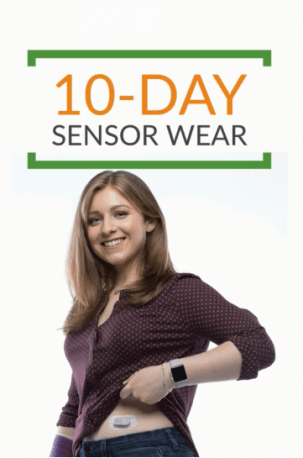
Answer: There’s tons of ways you can help ensure your G6 sensor stays stuck on for the entire ten-day duration. I always make sure that my skin is completely dry before the sensor makes any contact with the site. Avoiding any excess moisture is key in helping it stay put. If I notice the sensor starting to peel around the edges after a few days of wear, then I use a Pump Peelz CGM adhesive to keep it in place. Those tend to work really well for me. In times of serious adhesive doubt, I also use Skin Tac wipes, which basically glue that sucker down. One last tip I recommend is to avoid sites that come into contact with a wide variety of surfaces. In other words, a sensor that’s placed on the abdomen may fare better than a sensor on the leg, because the odds of the sensor getting accidentally knocked off due to contact with clothing or other objects are lesser. You know your own body better than anyone, though, so trust your own judgment when it comes to CGM placement.

Capture
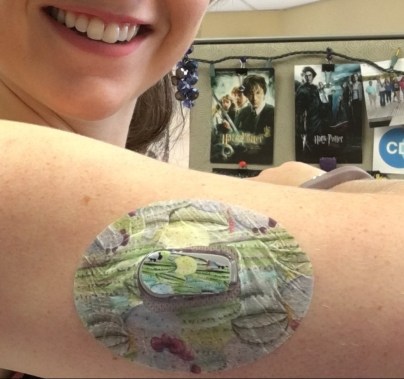
Modeling my G6.

Question: Is sensor insertion truly painless?

Answer: For me, G6 insertion has been pain-free approximately 85% of the time. It’s stung slightly a handful of times, but I’ve found that it only hurts when I choose a site that’s not particularly fatty. That’s why I generally stick with my abdomen – either side of my navel – or the back of my arms for G6 insertion.

Question: Is the G6 really that much more accurate compared to the G5, or any other CGM on the market?

Answer: Yes and no. That may not be a very satisfactory answer, but I’ll explain why that’s my belief. Overall, the G6 seems to be more accurate for me than the previous Dexcom CGM models I’ve worn. Are the number always on point compared to what appears on my meter? No. Do I wear the Dexcom CGM to have an accurate picture of what my exact number is at a given moment in time? Kind of, but I also know that this isn’t totally realistic. After all, users of the Dexcom CGMs know that it measures blood sugar levels in five-minute intervals. It can’t give me a clearer picture of what my blood sugar changes are minute-to-minute. So with that in mind, I find that the G6 is really excellent for monitoring trends – seeing how rapidly my blood sugar is falling or rising, or seeing how it changes gradually over time. The patterns are more important to me than the precise numbers; at least, that’s how I feel in my current stage of diabetes management.

I can’t really speak to other CGMs on the market, such as the Freestyle Libre or Medtronic’s CGM. But what I can say is that I’ve heard less-than-stellar reviews about both. It’s important to remember, though, that they’re not meant to be the exact same as the Dexcom CGM. The Libre itself isn’t really continuous and can’t provide users with information until they chose to wave the receiver over the sensor. And as far as I’m aware, the Medtronic CGM communicates directly with Medtronic pumps, and I’m not sure how seamlessly the systems work together.

Bear in mind that when it all comes down to it, I’m answering these questions with my experience, and my experience alone, in mind. Dexcom is and will always be the number one resource to go to with any questions regarding their CGM devices. But hopefully, the information I’ve shared here will at least help someone who is curious about the G6 feel more motivated to seek additional information. I stand by the fact that it has revolutionized my own diabetes care and management, and though it’s far from being flawless, it’s still an invaluable tool to have incorporated into my daily routine.

I Want to Love my Dexcom G6, but…

…this keeps happening on Day 9 of wear:

8C471733-1CC5-40D9-81D2-088D06A5B6D2

I don’t understand why the sensor error occurs. But it almost ALWAYS happens on the ninth day: My sensor will work wonderfully and provide me with extremely accurate data, but then BOOM it’ll sporadically stop working and produce graphs like the one above that are virtually useless. Even worse, there’s no telling when exactly it’ll start communicating again with my receiver. The error message SAYS I’ll get data back within 3 hours, and I normally do, but there’s a big difference between going 10 minutes and going 2 hours without any readings.

This device has so many good things working in its favor: longer wear, painless insertion, increased accuracy, compatibility with acetaminophen, slimmer profile. But I’m of the opinion that if something says it will totally function for a certain length of time, then it WILL. The fact that it doesn’t, and that this has occurred more than once to me, is alarming and frustrating.

The only possible explanation I’ve come up with is that maybe the upper arm isn’t a great place to wear the G6. As we all know, Dexcom devices are FDA approved to be worn on one location, the abdomen. However, that hasn’t stopped the cheeky diabetes community from wearing it elsewhere. Besides the upper arm, I’ve seen people with it on their forearms, thighs, and calves. I even know one clever person who chooses to wear it on the upper bum during the summer months to prevent tan lines (hilarious and brilliant, IMO). I choose to wear my CGM on my upper arm most of the time because it’s comfortable there, and I like to give the sites on my belly a break. But maybe it’s time I start wearing it more frequently on my stomach, the “officially okay” site, to see if that prevents these ridiculous sensor error scenarios.

What I’d like to know in the meantime, though, is has this happened to you or anyone you know using the G6? Has anyone pinpointed a cause, and is it worth notifying Dexcom of this issue? I’d love to hear your stories and thoughts – drop a note in the comments or get in touch with me directly!

A Not-So-Sticky Situation

There’s nothing worse than medical adhesive that just won’t stick.

If an infusion site or CGM sensor fails to stick to the body, that almost always means that there’s no choice but to dispose of it prematurely. And that is the definition of a total waste, which is a horrible feeling when it comes to exorbitantly expensive diabetes supplies.

So you can probably imagine my vague sense of panic when less than 12 hours after inserting a recent CGM sensor, it started to peel around the edges. Actually, that’s phrasing it a bit lightly – one half of it was practically flopping off my arm. No matter how much I pressed it back against my skin, it wouldn’t stick. I knew that I needed to save it somehow, and fast.

My first resort was a Patch Peel – it’s cut to accommodate the CGM transmitter; as such, it was the most secure option I had available to me. But seconds after applying the patch, it started peeling all around the edges. WTF?! It was definitely the same strong adhesive that Pump Peelz uses on all of their products, so I didn’t understand why it wasn’t sticking. I cursed under my breath as I racked my brain, thinking of anything else I could use to salvage the sensor. I couldn’t bear the thought of throwing it away after less than a full day’s worth of use.

c1d1cca3-498d-41d4-b703-88e9cfcd97b8-e1535137408367.jpeg
Smiling big with my salvaged sensor.

Then I remembered I had SkinTac, which is so strong and glue-like that I normally avoid using it. But desperate times call for desperate measures, right? I lifted up the edges of my patch and wiped the SkinTac all around my skin, patting the patch gingerly back into place as the SkinTac dried. And…it worked! My patch got wrinkly as hell as the adhesives bound together, but I didn’t care because I’d managed to save the sensor. Will it hurt in a few days when I peel off all those layers of adhesive? Oh yes. But I won’t mind at all because I didn’t have to waste a sensor with a retail value of about (cue the gasps) $165.

The One Good Thing about a CGM Hiatus

All was quiet. A little too quiet…

No beeps. No buzzes. No alarms.

And the silence was refreshing. I didn’t like being without my CGM for a week, but there’s no doubt about the one positive effect that its absence had on me: It gave me a much-needed mental break from an audible aspect of diabetes.

751714CC-EF62-4D98-A018-FAC266D71124
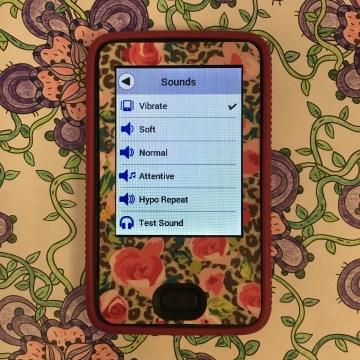
Diabetes can be LOUD sometimes. Especially in hypo repeat mode.

It was a blissful reprieve from my diabetes literally screaming at me like a needy baby. A week-long vacation from my CGM hollering at the top of its lungs “HEY YOUR BLOOD SUGAR IS HIGH DO SOMETHING ABOUT IT” or “WAKE UP YOUR BLOOD SUGAR IS LOW YOU BETTER TREAT IT RIGHT NOW.”

It’s rare that I can describe diabetes as peaceful; in this case, it was, and the experience will make me consider putting diabetes on mute a little more often.


What to do When Diabetes Technology Fails (at the Worst Possible Time)

This past Saturday afternoon, my Dexcom G6 sensor stopped working. It wasn’t sending data to my smartphone app or my transmitter, so I was forced to fly blind…at a party with tons of people I’d never met before, an impressive food spread, and few beverage options other than beer from a keg or spiked punch.

Definitely not a good time for my Dexcom sensor to go kaput, especially considering I was getting on a plane the next day and didn’t have a backup. And I wouldn’t get my hands on a fresh sensor for a couple more days, when I would return home from my adventures in Washington, D.C. and Nashville, Tennessee.

So yeah, it was pretty much the worst timing ever for my heavily-relied-upon diabetes technology to fail.

How did I handle it? It might sound incredibly obvious, but…I just reverted back to life before a CGM, meaning that I tested my blood sugar much more often than I do when the ol’ Dexcom is up and running. At the aforementioned party, I sucked it up and pulled myself away from conversations to check my numbers every so often with my meter. I still participated in barbecue and beer consumption, but I dialed it back because I couldn’t be sure of what direction it would send my blood sugar in, or how quickly it would happen.

As for the rest of my trip, and my travel days, I remained diligent. I’d test and correct as needed approximately every two hours. I set alarms for the middle of the night so I could be certain that I wasn’t too high or too low. I went back to relying on sensation – was I feeling thirsty because my blood sugar was high? Was my shakiness a sign of an oncoming low? It surprised me how easily I slid back into those routines, but I guess that after so many years of practicing them, it makes sense that I was still in tune with my body.

393F3AB0-9B48-4E65-BA9F-8EBDFB3622AD
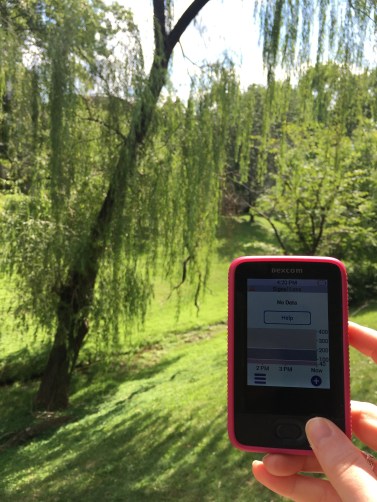
No data…no problem.

And, perhaps most shocking of all, I remained pretty calm about the whole situation. Normally, it’d send me into a panic and I’d chide myself over and over for not having a backup sensor. But, really, I carry around enough diabetes junk – adding a clunky sensor insertion device into the mix sounds excessive. After all, the sensors are supposed to WORK for the full ten days that they guarantee. It gets exhausting, having to anticipate technology failures when they should never happen, so I shouldn’t be upset with myself for not carrying more than the essentials.

The lesson in this experience, I think, is to be unafraid to depend on my intuition. I literally grew up managing my diabetes with hardly any technological aid, and I can do it again now in a heartbeat as long as I trust myself and the process.

My One-Month Dexcom G6 Review

My first month on the Dexcom G6 went by so quickly. The G6 entered my life during a particular hectic period: between a trip to Vegas, my 25th birthday, family gatherings, and work obligations, May was marked by constant activities…which made me that much more grateful to have my G6.

Before I continue with this review, I’d like to note how I got priority access to the G6. Approximately one year ago, I applied on Dexcom’s website to be a “Dexcom Warrior”. Basically, this just means that I filled out a form with my information and some background on my diabetes story. I didn’t expect anything to come of this; if anything, maybe I’d be contacted for someone to write a bio piece about me.

Fast-forward to January 2018: I receive an email informing me that I’ve been selected to participate in a Dexcom marketing campaign. There weren’t too many details other than that a shoot was taking place over two days in Atlanta, Georgia in February and that Dexcom would pay for my flight and hotel if I gave them my time that weekend. I was thrilled to receive the offer and gladly accepted. And I’m grateful I got to have such a unique, fun experience.

I didn’t learn until several weeks later that my participation in the marketing campaign would allow me to receive early access to the G6. In other words, I was going to be one of the first in the world to try this technology. My head is still spinning from that fact, and it’s not something that I take lightly. I understand that I’m fortunate to have access to it, and in return for this special privilege, I am putting as much truth and transparency as possible into my reviews of it.

Onto my one-month evaluation…new observations include:

  • The whole 10-day automatic shutoff thing bothers me a little more than it did in the beginning. There’s no workaround, so I’ve got to know exactly when my sensor is going to expire so I can have a fresh one on hand. This can be irritating, especially when *life happens* and I forget about changing my sensor.
  • The adhesive seems to be one thing that has made zero improvement (but it’s not like it’s gotten worse, it’s the same). I think the surface area of it is a little smaller? But it’s held up fairly well for me for the full 10 days. I’ve only had to use OpSite FlexFix tape on it once, and that was on the ninth day.
  • I am LOVING not having to calibrate the receiver after the two-hour warmup period. My blood sugars automatically start getting recognized by the receiver after the two hours have elapsed, and it’s awesome.
9A60AC29-96C0-4DD5-98B9-5D8A501F4294
A view of the G6 mobile app.
  • I’m still experiencing an utterly painless application. I’ve yet to try a site other than my abdomen, though. I don’t think a different site will hurt more, though I’m curious to see if readings are less accurate.
  • Speaking of readings, I’d say that they’re within the ~15 point range compared to the blood sugars my meter reports. Not bad at all.
  • The battery on the receiver is kind of weak. I have to charge it at least twice per week, which is slightly annoying. But I also have the G6 app downloaded on my phone, so it’s not a huge deal if the battery on my receiver depletes completely.
  • The G6 app works well. Aesthetically speaking, it’s clean and modern looking, and very easy to read. It works better for me than the G5 app did, but I had a myriad of issues going on with it that affected my user experience.

I’m pretty satisfied with my G6 experience so far. I’m hopeful for the future – perhaps it’ll be possible to extend a sensor’s lifespan or easily recycle the chunky plastic applicators.

But I’m interested in questions you might have – are you still wondering about something regarding the G6 that I haven’t addressed? Please let me know. I’d be happy to provide insight.

So THAT’S How Long and Sharp the Dexcom G5 Insertion Needle is…

IMG_6621

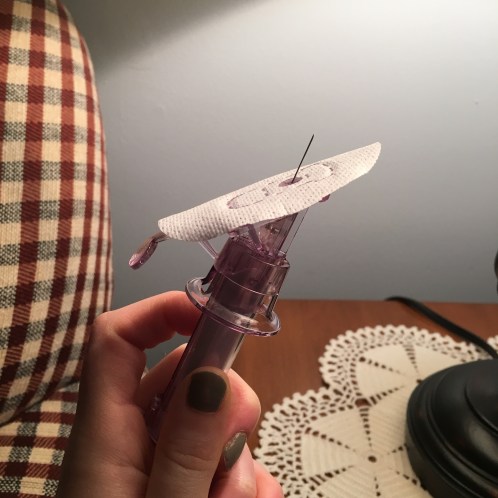
Oh, I cringe just looking at that.

This is a rare photo of the Dexcom G5 insertion needle. Yikes! I only captured it because somehow, my last sensor change with the G5 went awry and I wound up being unable to use this particular sensor. Before I threw it away, though, I played with it a bit to see if I could get a closer look at the needle that helps secure the sensor to my skin.

Obviously, the mission was accomplished. Even though I was slightly horrified by the needle’s pointy length, I was also relieved to know that it would be the last time it would puncture my skin. That’s because I knew my G6 was on its way and that one of the major improvements to it was making the whole process painless. Little did I know how true that would be until I put my first G6 sensor on…

In a couple days, I’ll *finally* publish a post that reveals my initial thoughts on my brand-new Dexcom G6. I’ll compare it to my experience with the G5 and share whether I think the G6 is worthy of all the hype it’s received.


A Good Diabetes Day

I’ve blogged plenty of times about my “bad” diabetes days – you know, those posts that I talk about stubborn blood sugar that won’t come down/up, or how technology refuses to cooperate, or how I’m feeling intense diabetes burnout.

This made me wonder about the “good” days. Besides my blood sugars looking so perfect that I question whether my pancreas has magically started to produce insulin again, what sets those days apart from the “bad” (and plain, old, ordinary days)?


The answer likely varies among people with diabetes, but let me describe my version of a darn good diabetes day:

  • Going to an endocrinologist appointment first thing in the morning and discovering that your A1c has dropped nearly half a point, down to 6.7. YAAAAAAS!
  • Being told by said endocrinologist that you’re doing an amazing job, and passed all other blood work tests with flying colors – I was most thrilled with my HDL cholesterol (the good kind) levels, which have gone up due to my current exercise regimen. And she said I lost a couple pounds, to boot!
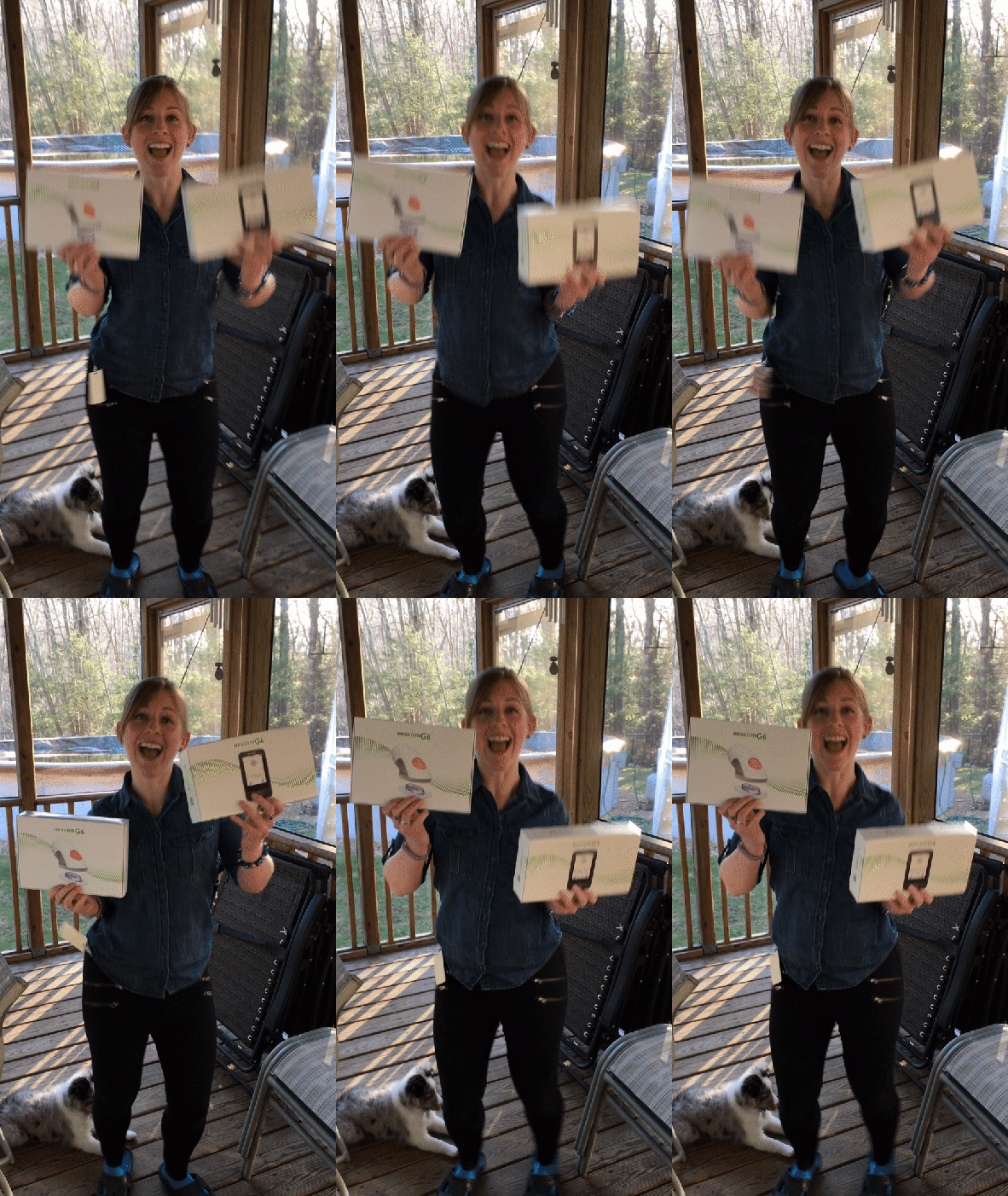
  • Coming home from work to a package from Dexcom containing the brand new G6 receiver, transmitter, and sensors. I can’t remember the last time I was so excited about a delivery!
  • Topping it all off, my blood sugars throughout the day weren’t too shabby.
ezgif.com-video-to-gif.gif
Dancing excitedly with my new Dexcom G6! My puppy couldn’t understand what the hullabaloo was all about.

It’s days like that that make me feel validated – like all my hard work is worth it. It isn’t easy to manage diabetes every moment of every day, so when the diabetes stars align like this, it feels…wonderful.

My Involuntary Hiatus from the CGM

Currently, I’m on a break from my CGM for an unknown length of time.

This temporary split wasn’t mutual; rather, it was due to a series of coincidences that occurred much to my chagrin. The short version of the story is that my CGM transmitter died a week earlier than I had anticipated. I thought it would be pointless to order a replacement since I was expecting the new Dexcom G6 to arrive at my house before the transmitter expired. When I learned there was a delay that would cause me to wait a little while longer, I realized I didn’t have much of a choice to go ahead and order a replacement G5 transmitter. After all, it was fly blind without my CGM for just a few days versus the possibility of missing out on that data for weeks.

fullsizeoutput_75dThe choice was obvious, and as I write this, my G5 replacement transmitter is on its way to me.

Though there’s comfort in that fact, I feel weird not having my CGM data available to me. It’s kind of nice to be wearing one less medical device on my body, but that’s really the only benefit of being without my CGM. The information it provides to me is invaluable, and an involuntary break from it makes me feel uneasy. I’m constantly reminding myself that I managed diabetes just fine for the first 15 years I had it without a CGM’s aid, which does offer a small amount of comfort. But it also reminds me how important the CGM has become in my daily care choices. Twenty-four hour, real-time updates of my blood sugar help me live a life less interrupted by my diabetes, something that’s extremely difficult to give up after 20 relentless years of dealing with it.

You really don’t know what you’ve got until it’s gone – even if it is only for a short period of time.

I’ll make the most of this situation. It will at least help me get in tune with my body’s signals when my blood sugar is high or low, which is definitely not a bad thing. And it makes me appreciate something that not every person with diabetes is lucky enough to have access to: serving as a humbling reminder of my fortunate circumstances.