It arrived on a seemingly ordinary Wednesday, during a week in which I really needed a pleasant surprise.
I opened my front door to take my pup out to do her business when I noticed a large package on my front steps.
I wasn’t expecting anything to come in the mail, so I eagerly tore into it once my dog and I returned indoors.
And this sight was before me:
Violet is just as curious and excited about the Omnipod 5 as I am!
Yup, I’m the proud owner of an Omnipod 5 – finally!
I won’t be starting it until early next month, though. And I’ve got good reasons to delay it: 1) I’m traveling a decent part of August and I know from experience (or shall I say, my dear mom’s experience) to never try new diabetes technology when you’re out of routine, 2) I have about a month’s worth of old pods to use up before I officially switch over – I can’t imagine not using up my full supply just so I can get started on the new system faster. As I’m sure you must know by now, diabetes supplies are extremely expensive and I am diligent about using up every last pod, CGM sensor, and of course, insulin vial, before it goes into the trash.
While it’s a bit of a tease to know that automated insulin delivery is literally just feet away from me right now, it’s mostly very exciting to know that I have this to look forward to in the coming weeks. It’s nerve-wracking to go on new d-tech, yes, but the rave reviews of the Omnipod 5 have far outweighed any anxieties I have about starting the system.
And once I do, you can bet that I’ll be blogging about it!
This blog post was originally published on Hugging the Cactus in 2019, and again in 2020. I’m sharing it for a third time because 1) it’s one of the most popular posts I’ve ever written and 2) it’s STILL an issue debate among the diabetes community! My opinion on bleeders being readers hasn’t changed. Read on for more (and be warned that the topic might make you a little squeamish, if you wince when talking about blood).
I placed the new Dexcom G6 sensor on my abdomen, hovering my index finger above the large orange insertion button. I pressed it, exhaling as I felt the minute needle pierce my skin’s surface. I looked down, and started to rub the adhesive in circles to make sure it was stuck, when I saw blood. Not just a drop, but a decent-sized pool forming beneath the sensor. Before long, just about the entire surface of the white adhesive was soaked in red.
Yeah, this was going to be a no-go.
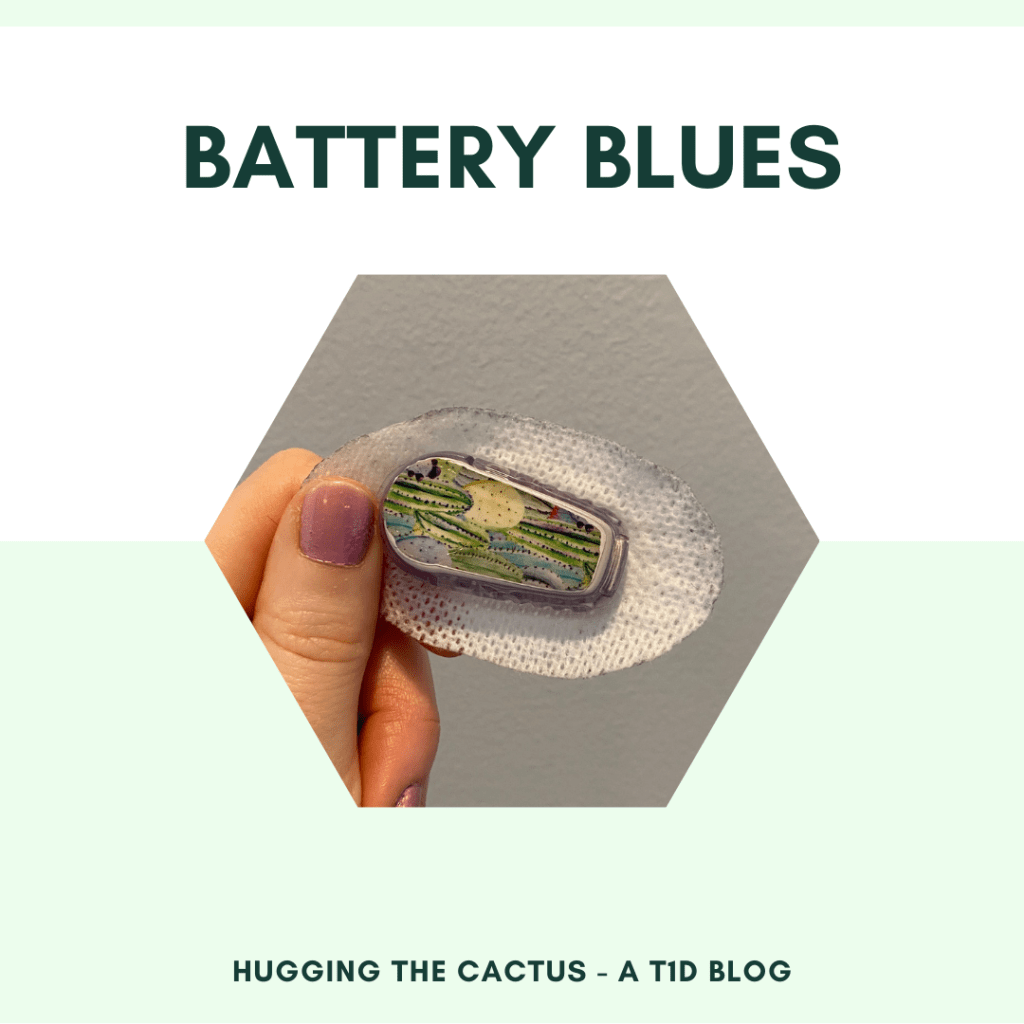
Previous iterations of this post featured some kinda gnarly bloody Dexcom imagery. This time around, I’m sparing you (and me) from that.
It’s pretty rare for me to experience blood at the site of a Dexcom sensor. If I had to put a number on it, I would say less than 10% of my insertions draw blood. An even smaller amount – like, 2% – have caused me to bleed as much I did in the scenario described above. But I know I’m not alone in my bloody sensor experiences – it’s something that many other T1Ds who use a Dexcom have gone through.
There’s a bit of debate, though, that I’ve noticed in the past on Twitter threads and Instagram posts. What to do with a bleeder? Keep it and assume that it’ll read blood sugars normally? Or change it immediately and call Dexcom for a replacement?
Are bleeders readers? Or does it depend?
I’m going to go with…it depends.
Obviously, in that situation I described in the opening of this post, I decided that it wasn’t a good idea to keep the sensor on my body. There was too much blood and I didn’t trust that it would adhere well to my body. I didn’t know how long it would take for the blood to stop (only a few minutes, but still), and I couldn’t be sure that it wouldn’t mess up my readings. On top of that, I wasn’t trying to stain my clothing, if I could help it.
So in that circumstance, I did change my sensor right away, and was glad that the second try resulted in a much cleaner, blood-free insertion. I called Dexcom, explained what happened to the customer support representative, and got a replacement sensor mailed to me.
However, just about any other time I bleed upon a sensor insertion, it tends to be a minuscule amount of blood. I usually don’t even notice until it’s time to replace the sensor, and there’s a bit of dried blood left on the site. Other times, I’ll see small beads of blood forming underneath the spot where the transmitter snaps in. And there’s been a couple of occasions that I’ve bled a fair amount and been totally unaware of it until I caught my reflection in the mirror and noticed the blood staining the white adhesive. And in all of those cases, I’ve kept the sensor on for the full ten days, without noticing any discrepancies in my readings.
All that considered, in my inexpert opinion, I think that bleeders usually are readers and that they’re safe to continue wearing. Of course, there will be exceptions, like when there’s just too much blood to salvage the sensor. But every time I’ve kept using a bloody sensor, I’ve had the same amount of success with its functionality…so yes, I think that for me, bleeders are indeed readers.
The latter half of July in New England has been hot, hot, hot this year. It’s almost pleasant compared to last year’s rainy summer months, but let’s emphasize “almost” in that sentiment.
Fortunately, something that makes the heat a bit more bearable is the fact that the condo complex that I live at has a pool! And what’s even better is that it’s pretty easy to find slots of time on the weekends to hang out by it and enjoy it undisturbed by other community members. Case in point? My boyfriend and I found an hour on a scorching Sunday evening to take a dip before grilling some chicken and veggies for dinner.
We had only just entered the pool up to our waists when a familiar screeching sound blared in our ears. Yup…my pod had just failed.
My community pool! Not pictured? My wailing pod!
Rather than get cranky about it, though, I just shrugged and figured it was no big deal, I had to change it in the next few hours, anyways. I was about to rip it off my abdomen when my boyfriend pointed out that the moment I submerged myself more fully in the water, then I wouldn’t hear the screaming pod anymore. Sure enough, he was right – I could only hear the shrill sound when I was underwater, making for an interesting soundtrack whenever I swam under the water’s surface.
We swam and chatted for about an hour before deciding that I probably shouldn’t procrastinate any longer when it came to putting on a new pod. So we dried off and headed inside, and discovered that my blood sugar had lingered in the low 100s the entire time. That was a welcome sight to see – my assumption is that I’d had enough insulin on board from earlier in the day that coupled with the exercise I got from swimming to prevent any sort of blood sugar bump.
So even though I literally swam right into a pod failure, it worked out in a funny way. It’s nice to know that pod failures don’t always have to be a total nuisance.
This was originally published on Hugging the Cactus on September 7, 2020. I’m sharing it again today because my mom and I were recently talking about pod placements and the places where we would (and would not), hypothetically, feel comfortable wearing a pod. It got me thinking about how I’ve had to work up the courage to try new sites over the years, which inspired me to write this post to hopefully help others who feel the same way about navigating new pump sites and nerves. Read on for more…
Am I the only T1D out there who feels incredibly nervous about trying new insulin infusion sites?
I’ve been this way as long as I can remember, now that I’m thinking about it. Throughout my childhood, I stubbornly stuck to injecting in my arms, legs, and upper buttocks (tee-hee) because those were the areas I felt comfortable with. I don’t think I even considered jabbing myself in my stomach until I was in my teens, and it was only after I realized the importance of site rotation and reducing scar tissue.
So it’s kind of funny that when I went on the OmniPod just over five years ago, I only used my stomach and my lower back (just above the upper buttocks region, tee-hee) for pod placements. It was partly because my guinea pig – I mean, my mom – used those areas for her pods with success, and also because I was hesitant in the beginning to wear my pods on my arms or legs because of their increased visibility.
It went that way for a couple of year – four basic sites ’round my abdomen – when it occurred to me yet again that site rotation was also important for insulin pumpers, not just MDI-ers (multiple daily injection…ers). So I added my upper arms into the mix, and soon after, my upper thighs followed.
The little diagram (courtesy of Insulet/OmniPod) above only shows a few of the sites that people with diabetes use…over the years, we’ve gotten a lot more creative!
But lately, I’ve shied away from wearing pods on my thighs because the area isn’t overly comfortable. When I roll over in my sleep at night, my pod presses up against my leg and the resulting pressure is just enough to disrupt my sleep and make it difficult for me to find a more restful position to sleep in.
As a result, I’ve started contemplating potential new pod sites, and one of the first places I went to for advice was…Instagram! Because…duh.
The DOC (diabetes online community) on Insta is a natural resource for this sort of thing because many people tend to share photos of their sites. It’s kind of a thing. One simple scroll through my feed taught me that people can get very inventive when it comes to finding new locations to place their CGMs and insulin pump infusion sites.
I saw people wearing Dexcoms on their forearms and calves. I saw pods on backs, calves, and even the upper chest area, the latter of which I found most intriguing. For men, it seems like a very accessible spot that causes little irritation, but for women? How the heck did the T1D ladies I saw with pods on their chest deal with it?
The general consensus, it seemed, was that women wearing pods on the upper chest agreed it was a site with great absorption and minimal discomfort.
I was still skeptical, though. I was worried about how it would look if I was wearing a v-neck tank with my pod poking out of, well, my bra! Then it hit me that my pod garners questions from strangers regardless of where it’s located. Furthermore, people will (probably?) be less likely to ask about it if it’s located on my chest because, um, that’s really awkward. My eyes are up here, people!!!
Then I remembered: I could give the site a try without wasting a pod because I have a demo pack that I got from a diabetes conference awhile back! The demo pack comes with a dummy pod that looks and feels just like a regular pod, but there’s no reservoir built into it, so insulin can’t be injected into it.
So right now, as I’m writing this, I’m wearing two pods: one on my upper arm that’s actually giving me insulin, and a fake one on my chest just to see how I like it. I must admit, so far, so good! I slept comfortably with it on last night and I haven’t had any issues wearing clothing or undergarments with it. I even went for a jog with it on and got pretty sweaty, but it stayed secure/I didn’t feel it bouncing around at all (thought the adhesive got a bit too damp for my liking…it stayed on but if I wasn’t careful I totally could’ve knocked it off).
While I’m still having a hard time wrapping my head around an actual cannula piercing my skin at this location (eeeek), now that I know I can handle the pod itself living there, I’m one step closer to trying (and liking) a site that’s more intimidating to me – a win in my book.
You’d think that 24 years of living with diabetes would turn anyone into a seasoned veteran of the condition, but even the most experienced people with diabetes slip up and make mistakes every now and then…
Case in point? Me, because I neglected to make sure I had a way of monitoring or checking my blood sugar when exercising…and then experiencing a scary low that I probably could have caught sooner, or maybe even avoided, if I hadn’t been so careless.
This all happened because I inserted a new Dexcom sensor just before taking off for my 3-hour self-defense class. I knew that the sensor’s warm-up period would end and that my continuous blood sugar readings would begin partway through class, so I felt fairly comfortable going without a blood sugar meter as a back-up. After all, my Dexcom sensors almost always start up without any issue, so I was trusting that this one would follow suit.
And that was my biggest mistake: trusting my technology.
Any time I make a rookie diabetes mistake, my palm goes straight to my face in embarassment.
When the warm-up period was complete and the class was taking a quick water break, I decided to check my Dex to see what my first blood sugar readings were. I was surprised (and instantly annoyed) to see that instead of a number, my Dexcom was displaying a request for a blood sugar calibration – just like the old G5s used to ask for upon insertion of a new sensor. I couldn’t understand why this happened, but I knew that pondering the matter wouldn’t make any difference…the only thing that would get my Dexcom running normally again was the finger stick checks, which wouldn’t be possible for me to do until I got home from the class because I was without my meter.
So I had no choice but to rely on nothing but my instincts and sensations in order to get a sense of where my blood sugar was headed for the remainder of the class.
And let me tell you, I can’t remember the last time I felt so vulnerable in terms of my diabetes. I was running on zero information, other than the fact that I typically can feel oncoming low blood sugars and that I tend to feel thirstier when my numbers are on the upswing. It was disconcerting – even more so when a little while later I started to feel shaky and dizzy, like I was starting to go low.
I knew I could either 1) treat what I thought was a low blood sugar and deal with the potential consequences (high blood sugar) when I got home, or 2) take a chance and ignore the low symptoms because I couldn’t confirm whether or not I was actually low. I hate to admit it, but I let a good 15-20 minutes pass before I decided it was better to correct what felt like a low rather than run the risk of passing out in front of the entire class. Turns out that I made the right call to treat my low: I felt much better after I ate some fruit snacks, and my blood sugar when I got home that evening was in the low 80s, indicating that I probably avoided a pretty nasty low in class.
While the whole incident could’ve been easily avoided, it did remind me that I ought to take some of the trust that I have in my technology and distribute it a little more evenly between it and my instincts. I proved to myself that in emergency situations, I don’t need a meter or a CGM to pick up on low blood sugars (though I obviously would prefer to have that equipment at my disposal at all times). Instead, I need to trust my instincts more and procrastinate less when it comes to taking an action – because if I had waited longer than those 15-20 minutes, the situation could’ve escalated and then I would’ve really been kicking myself for leaving my meter at home.
Rookie mistakes suck when they happen, but at least the silver lining is that there’s always a lesson to be learned (or reinforced) when they do.
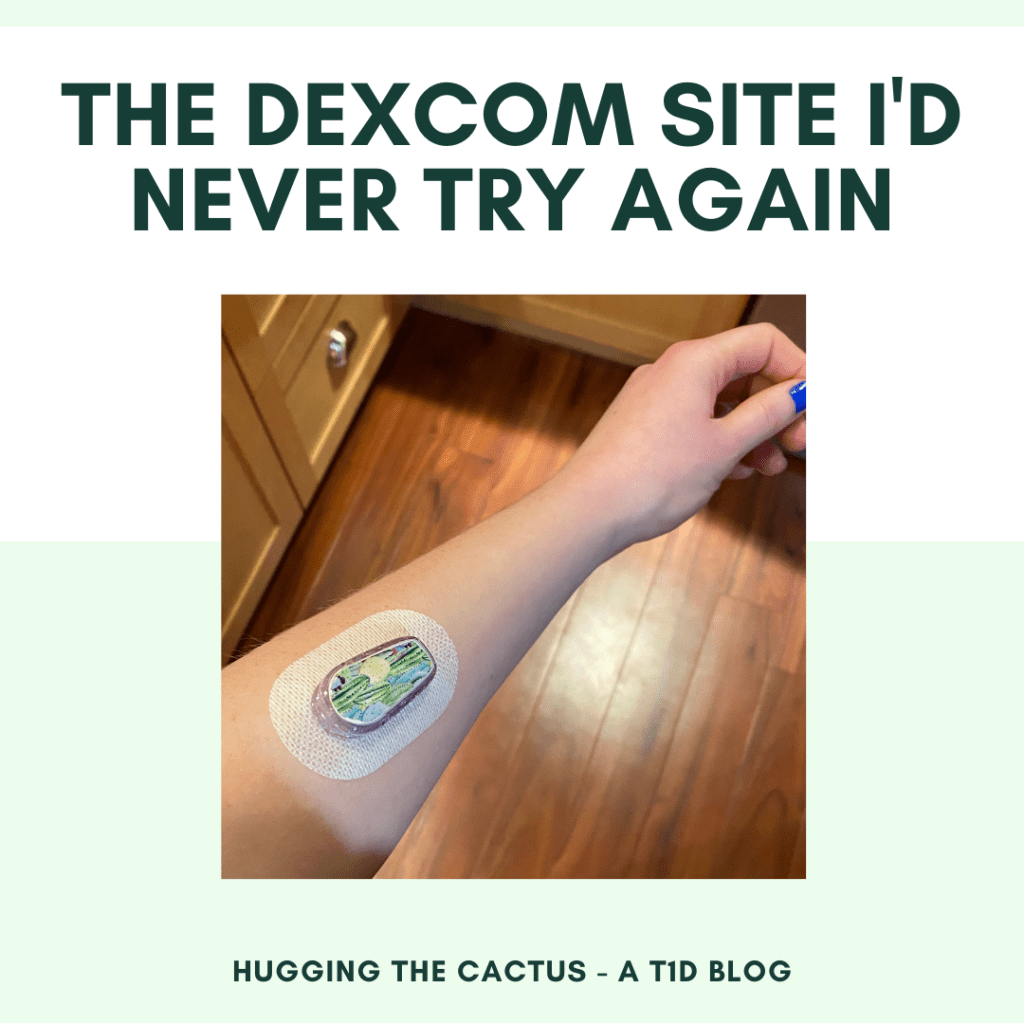
This blog post was originally published on Hugging the Cactus on February 26, 2021. I’m sharing it again today because I see folks trying new Dexcom sites all the time, usually with a lot of success! I thought it was worth it to share my experience with the forearm site because it was the polar opposite of a win for me – read on to learn why.
I don’t usually regret trying new sites for my Dexcom and OmniPod.
But recently, I discovered the one area that I wish I hadn’t tried…and that is my forearm.
The forearm Dexcom site gets a big old NOPE and OUCH from me.
For a couple years now, I’ve seen forearm Dexcom sites all across social media. People lauded the location for how comfortable it is and the accurate readings it produces, so I figured, why not give it a shot? (LOL diabetes humor.)
Plus, I wanted to give my stomach and the backs of my arms a break. I put both pods and sensors in those locations and while I like them a lot, I’m wary of scar tissue building up.
So with little fanfare, I tried putting my Dexcom on my left forearm (my non-dominant arm). And I knew immediately after hitting the orange button to insert the sensor that it was a bad choice because it STUNG. It stung something fierce! I remember wincing the moment it pierced my skin, and fortunately, the pain did go away…but resurged with a vengeance about half the time I made any arm motions. It didn’t matter if I was flexing it up or down or twisting it to reach for something – any movement could trigger varying degrees of pain. Nothing incredibly intolerable, but enough to make this site uncomfortable.
My face says exactly how I feel about this site: It’s not a winner.
And this pain didn’t altogether disappear one day: I still felt stings 24 hours after I put the sensor on. Maybe I hit precisely the wrong spot (I noticed a very small amount of blood discoloring the white adhesive of the sensor), but I asked the diabetes online community and it seems that the general consensus is that this location sucks. The half-dozen or so people who messaged me said that either the pain was too much and they took the sensor off early, or they toughed it out for a full 10 days and never used the site again.
What’s more is that this site wasn’t as out-of-the-way as I wanted it to be. I roll up my sleeves dozens of times each day for different tasks, and each time I went to roll up my left sleeve, I had to go about it gingerly so I didn’t risk bumping into the site and prompting ripples of pain. This was straight-up annoying because my diabetes devices don’t usually inhibit my movements so much.
The one plus-side of trying the new site, and the only thing that motivated me to keep it on for the full 10 days, is that it was just as accurate as any other Dexcom site I’ve tried. My readings matched up pretty closely with how I felt and with what my blood sugar meter reported, so that was a saving grace. And I have to admit that even though I was worried that sleep would be impossible with the sensor in such a tender spot, it really didn’t interfere with my slumbers, which was a relief.
All in all, though, the accuracy wasn’t enough to convince me to want to keep forearm sites in my regular rotation. I’ll stick with abdomen and upper arm sites for now, with the occasional thigh site to further prevent scar tissue.
Between this post and the one from a couple of weeks ago, this blog is rapidly turning into one in which I bemoan the battery life of my diabetes devices…
The fact of the matter is, though, that I’ve definitely had my share of battery issues lately. The Omnipod DASH problem was resolved (rather swiftly), thanks to the folks at Insulet. But now it’s my Dexcom transmitter battery that’s acting up…and resulting in a whole lot of lost data (and even more frustration) for me.
If I can’t have a working pancreas can’t my diabetes devices at least have everlasting batteries?
It all started about a week and a half ago, when my Dexcom app notified me that my transmitter battery would be expiring in 3 weeks. That was to be expected – Dexcom transmitter batteries last 90 days, and according to my records, the one I’d been using was for sure approaching the expiry date.
What I didn’t expect was that the waning battery life in my transmitter would trigger multiple false blood sugar readings and periods of no readings whatsoever. At least I think my transmitter is to blame – I hadn’t experienced any issues with sensors from my last shipment and the app usually never experiences errors like this unless there’s a problem with the sensor and/or transmitter, so logic led me to conclude that my transmitter was simply losing reliability as it came closer and closer to its expiration.
My workaround was to do finger stick checks any time I was untrusting of my Dexcom, or whenever it was giving me a “no readings” alert. Plus, I’ve got a fresh transmitter ready to be activated once this one stops working, so it’s not like I’ll be without a Dexcom for an unbearable length of time.
In spite of that, I still thought this was worth talking about here on the blog because 1) I can’t remember if I’ve ever had a transmitter fade so dramatically in the last 3 weeks of its lifespan, 2) it was an exasperating situation and I needed to vent, and 3) I’m wondering if this has ever happened to anyone else before, and if there’s a workaround.
At this moment in time, I’m not quite sure what a feasible solution would be besides ripping a sensor off prematurely and sticking to finger stick checks for a few days until my annoyance ebbs…which is exactly the strategy that I decided to go with. I’m definitely looking forward to new transmitter time…
Cell phones, eReaders, tablets, video game consoles, PDM devices…these are all electronic devices that rely on rechargeable batteries in order to keep them up and running. Of all those possibilities, which one do I think has the worst battery life?
Unfortunately, it’s my Omnipod PDM.
The speed at which my Omnipod DASH PDM battery drains is alarming…
It’s particularly unfortunate because the fact that the Omnipod DASH has a rechargeable PDM was one of the more exciting features to me when I first started using it. It always bothered me that I had to remember to keep AAA batteries on me at all times with the traditional Omnipod model (I know, I’m making a mountain out of a molehill with that one, but people with diabetes already have to remember to carry so many “just in case” items on us at all times that something like two measly batteries feels like a big effin’ deal). I also disliked how it was pretty difficult to predict when the traditional Omnipod PDM’s batteries would run out of juice (though I eventually did an experiment that helped me approximate the batteries’ lifespan a little better).
So imagine my delight when I learned that my DASH PDM could be recharged! This would feel like second nature to me seeing as I already own so many electronic devices that run on rechargeable batteries. According to the instructions manual for my DASH system, the battery would be able to last 3-4 days on a single charge, so it was nice to know that I’d have to expect to charge my new PDM only once or twice per week.
But in late September – only 4-6 weeks after I started using my DASH system – I noticed a slight issue. My DASH PDM was only holding a charge for a day, maybe a day and a half. This little problem exploded into a significant headache when I went on a trip to California and my PDM died right in the middle of my day trip to San Francisco, forcing my boyfriend and I to troubleshoot quickly.
I should’ve learned my lesson right then and there and called Insulet when I returned home from my trip, but…life happens. My schedule grew extremely busy, then the holidays were here, then I just…well, I grew complacent with having to recharge my PDM on a mostly daily basis. It’s embarrassing to admit it, but I only defend this behavior in a similar way to how I felt about carrying extra batteries on me at all times because there are simply far more important things to worry about when it comes to living life with diabetes. I was fine to coexist with this short battery lifespan if it meant that everything else in my little diabetes world was working okay – and since it was, I didn’t think to do anything about it…
…until recently, when I decided that maybe I should call Insulet and ask for their advice.
Thanks to their wonderful customer service team, I learned that if I were to use any charging cord or plug besides the one that came with my PDM originally, that might contribute to dazzingly dashing drained batteries. That caught my attention because I definitely wasn’t always using the right cord/plug: Often, I was just grabbing the first thing in sight around my condo seeing as so many other electronic devices can be recharged with the same style of cable.
I was reassured that I was doing all of the right things otherwise – silencing alarms when they came up, putting my screen to sleep when I wasn’t using it, and changing my system settings so the screen was programmed to go dark in the shortest amount of time possible. I was also promised a new PDM if, after a few weeks’ time of using exclusively the Omnipod DASH charger, I noticed that it was still having drained battery issues.
Sure enough, the problem has persisted, so I now owe Insulet another call to get my PDM replaced altogether. Here’s hoping that my replacement will outDASH my bad PDM in terms of battery life…
Imagine receiving the same notification on your phone every 5 minutes…over and over again…nonstop until you actually do what it’s demanding to you.
Sounds maddening, right?
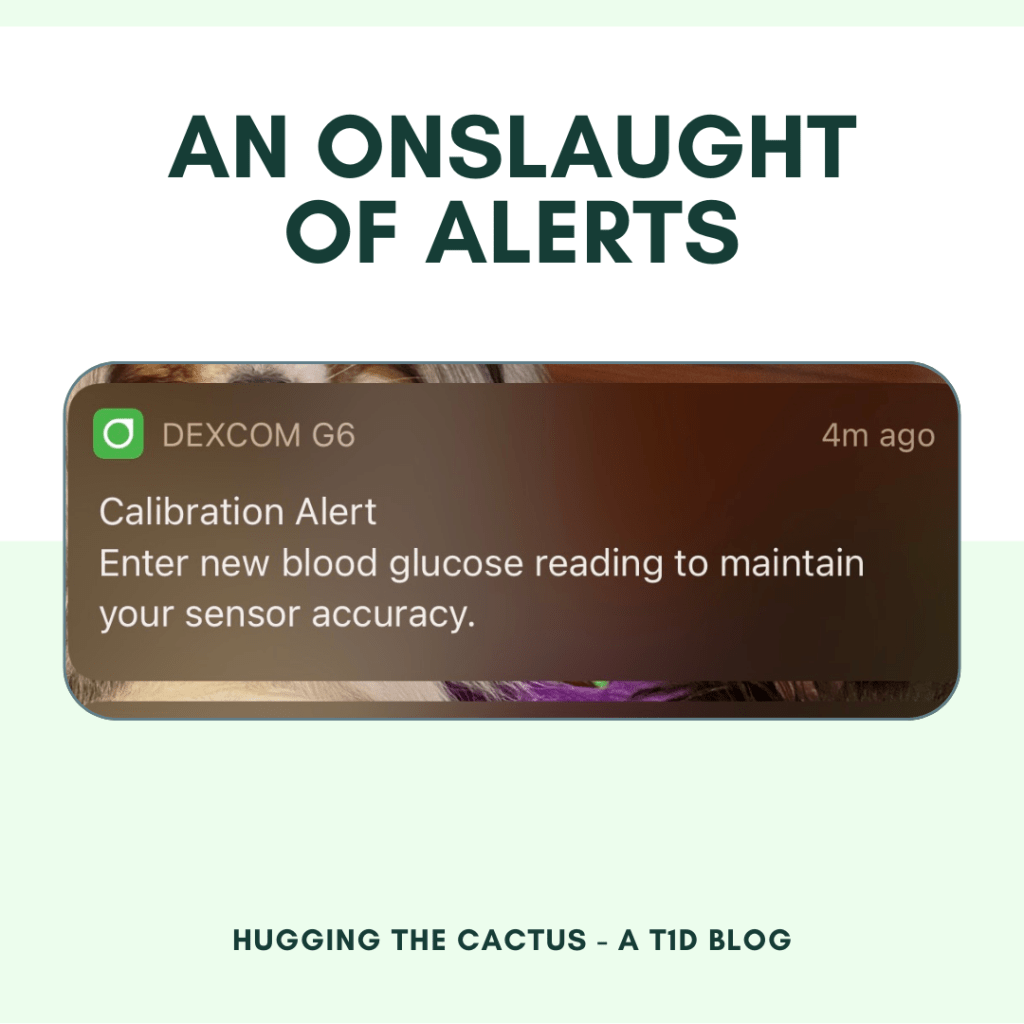
Well, that’s exactly what I experienced with my Dexcom app recently. Every 5 minutes on the dot, I got a “Calibration Alert” push notification that told me to “enter new blood glucose reading to maintain your sensor accuracy”. Doesn’t sound like too big of an ask, right? Why not just do it?
Of course I just did it – the first handful of times that it asked. But when this alert persisted to appear on my phone each day, around 24 hours after I’d calibrated my Dexcom sensor, I started to get super irritated. But I was also confused. I shouldn’t have to calibrate my Dexcom, like, ever. The G6 was designed to make it so calibrations are a thing of the past. I only ever even bother to calibrate it within the first few hours of wear if I feel that the blood sugar it’s reporting is really off, and that usually forces it to correct itself and show far more accurate readings fairly quickly.
So why was my Dexcom being so forceful with the reminders for me to calibrate?
Imagine seeing this alert pop up on your phone…every 5 minutes…for an hour…or 3. That’s a few dozen reminders too many.
I knew that my best shot at finding the answer to this question was by going to the people who are intimately familiar with the ins and outs of Dexcom devices – no, not the manufacturers themselves. I’m talking about my colleagues, of course. (One of the best parts about working at a diabetes nonprofit is that my coworkers and I collectively have 100+ years of diabetes experience under our belts and constantly ask one another for advice or wisdom regarding various diabetes scenarios.)
When I asked them if they’d ever encountered anything like this, one person explained that the CGM can get a little confused if, when after the initial two-hour warm-up period, a super high or a super low blood sugar can trigger the system to get stuck – almost like it’s unsure of what it’s reading. This tracked for me because when I started up this particular sensor, the two-hour warm-up period collided with a particularly nasty low blood sugar of 35. That blood glucose value is low enough that the system can’t even pick up the number “35” – instead, it just shows that I’m “LOW”.
So as a result of this, my sensor was likely just in need of calibrations every 24 hours just to make sure it was working properly. It’s probably in the code of the software or something to prompt users to calibrate every day until the system feels more confident about what it’s reading. That makes sense and all, but dang, is it annoying. Sure, I could’ve silenced the alarms a lot faster if I just calibrated whenever I got the first alert of the day, but my schedule didn’t always allow for that. And besides, after 4 or 5 years of using the Dexcom G6, this T1D has gotten used to no more finger pricks; because of that, it’s hard to go back to old habits.
But hey, it has wound up being another diabetes scenario that I hadn’t experienced yet and just another lesson learned, so while it may have been a bit of a nuisance it was also educational. And I’m okay with that.
I experienced many emotions when it was announced, at long last, that the Omnipod 5 received FDA approval. The most prevalent one was joy: I was elated for myself, my mom, my coworker MJ, and all other people with diabetes who have greatly anticipated this day for what felt like ages. The thought that so much of the heavy weight associated with life with diabetes will soon be lifted off our collective shoulders is one that is thrilling beyond words.
Besides joy, I felt anxious (when will we actually have access to this technology?!), hopeful (the wait is bound to be worth it), surprise (I hadn’t expected the FDA approval this early into 2022), and…relief. That last emotion was probably the one I felt most strongly right behind my joy, and that’s because I’m taking solace in knowing that my secret diabetes struggle will be no more with the help of the Omnipod 5. And this leads me to the explanation of what I’m most looking forward to about the Omnipod 5…
I cannot wait to get my hands on the Omnipod 5…but for now, I’ll have to settle for staring at this promo image of it.
…and that is sleep. Yes, sleep. More specifically, sleeping soundly through the night, every night. Because my secret diabetes struggle has gotten in the way of that to new extremes in the last several months.
Long story short (I’ll save the long version for an upcoming blog post), my sleep is disrupted perhaps 3-4 times per week due to a low blood sugar. It’s annoying, sure, but part of the problem is my complacency in the matter. As crazy as it may sound, I’ve grown accustomed to the sound of my Dexcom alarming at any hour of the night and rolling over to grab a low snack from my nightstand drawer.
I think it’s been so easy for me to make peace with because of all the diabetes battles I could pick and choose (for example, if I had to choose waking up for lows or dealing with high blood sugars for hours on end any time of day), it’s the one that seems the most painless compared to every other possible scenario. It’s a weak explanation for this behavior, but it’s the best one I’ve got and I think that some people living with diabetes could probably understand (or even relate to) this rationale.
So that’s why I get a little teary-eyed thinking about how the automated insulin delivery mechanism of the Omnipod 5 could help reintroduce truly restful nights of sleep back into my life.
They are tears of joy, anticipation, and hope over how this new piece of technology may very well help me (and countless other people I love and care about) reclaim so many aspects of life that “normal” people take for granted.








 Hugging the Cactus