There IS a definitive best time to change a CGM and/or insulin pump site. It’s rare, but when the stars align and both sites need to be changed around the same time on the same day, then that is the magical occasion that allows for a device-free shower. So for me, syncing up pod and Dexcom sensor changes with the time that I plan to take a shower is by far the most wonderful and ideal time to go out with the old, in with the new.
Think about it. These two devices are meant to be worn 24/7, 365. The only time they ever come off my body is so I can rotate sites and put fresh sensors/pods on. This means that I’ve got two medical devices attached to my body at (just about) all times. And I’m totally used to that, except for the times that I somehow forget about my pod and CGM and manage to knock them off my body while changing clothes or, you know, just walking around – and apparently into – doorways/gates/etc.
So when a pod change coincides with a CGM sensor change, I embrace this as an opportunity to enjoy being free from my devices for a short window of time – and for me, the length of time it takes for me to shower is just perfect for taking a break and not having to worry about 1) cleaning around my devices, 2) bumping them into my shower door, or most importantly of all 3) rising blood sugar levels as this short time span isn’t long enough for me to face any consequences of not having an active bolus.
These might seem like trivial reasons to relish a device break so much, but it really is the only time that I am reminded that my body is aided by the devices, not defined by them. It’s nice to see my skin free of them both, even if it’s only for a short while.
I graduated high school, started college at UMass Amherst, met my college friend group who I’m still close with today, and learned what it’s like to be an independent “adult” (I put that word in quotes because at the time, I thought I knew what it meant to be a responsible grownup. Boy, was I wrong).
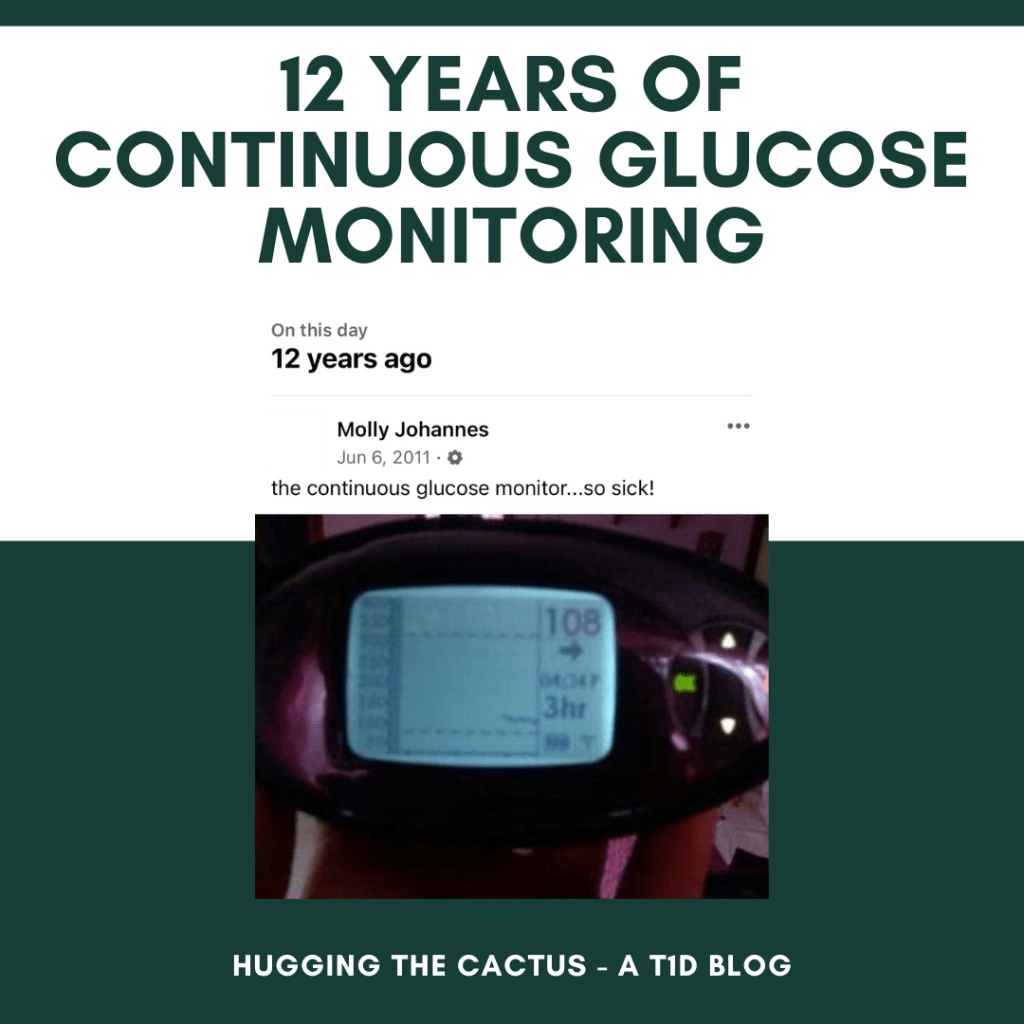
But 2011 was also the year I hit another important milestone: It was the year that I started continuous glucose monitoring. Shout-out to my scarcely-used Facebook page for reminding me of that!
In addition to getting a kick out of how I just had to tell the word that my new device was “so sick!”, I’m glad that this reminder popped up the other day because it marks the point along my diabetes journey in which I finally decided to give technology a try. From roughly 1997-2011, I was firmly against any and all diabetes technology. I’m not sure why, other than I was terrified to try something new and surrender control to someone (let alone something) that wasn’t me or my mom. I also can’t quite remember why I decided that moment in time was right for me to try a CGM – perhaps it was motivated by my transition to college, or maybe I was just intrigued by the technology? – but I am so, so glad that I did.
I’m grateful to my 18-year-old self for making this choice because it opened the door to diabetes technology for me. Until the first time I put a CGM sensor on, I had no idea what I was missing out on in terms of access to data (meaning my blood sugar levels). I didn’t realize how powerful this information would be or how it would be a helpful little sidekick conveying information to me about my diabetes every day and night. I don’t think I can quantify the number of times this thing – and we’re talking the Dexcom G4, which had a long way to go compared to today’s G7 in terms of reliability and wear – truly saved my butt and improved my overall time in range by alerting me to highs and lows.
All that said, I don’t regret not trying technology sooner. I do believe that it was important for me to introduce myself to it when I truly felt ready. If anything, I’m proud of myself for trying a CGM, and then eventually an insulin pump, in my own time. It just means that I appreciate both of these tools and what they do for me on a daily basis that much more, because I remember all too well what life was like before them. And there was a serious difference! I can’t say that I love having two devices on my body at all times, but I can 100% attest to the fact that they’ve improved my quality of life with diabetes, hands down.
So better late than never, but today, I’m giving myself a little pat on the back for being brave 12 years ago and taking that initial first step in changing up the components in my diabetes care toolkit.
So…remember all the times on this blog that I wrote about how important it is, as a person with diabetes, to be prepared at all times? And how it’s vital to have a back-up in case something unexpected happens with technology?
Well, apparently I don’t take my own advice. I mean, I usually do, but once in a blue moon, I am forgetful. Or negligent. In this particular scenario, I was both, because I simply didn’t pay attention to the fact that my CGM sensor was due for a change…and I was stuck at my workplace office, roughly 45 minutes from home, without my meter or a backup sensor in my bag. So when my CGM sensor expired at 1:48 in the afternoon, I realized that I wouldn’t have a means of checking my blood sugar until I returned home for the day. And I was a bit freaked out about that.
My biggest concern was that my blood sugar levels would run high and I wouldn’t know for certain or be able to do anything about it. I’d eaten more carbohydrates at lunchtime than usual, and had low confidence that I’d guessed the carb count accurately.
Instead of losing my cool or deciding to head home early, though, I impressed myself by choosing to ride it out. I felt sure that I’d be able to pick up my body’s signals if my blood sugar began to run low (which is definitely scarier than it running high for too long, anyways), and if it were high? Well, then, I’d just have to cut my losses and correct for it as soon as I got home. It’s never fun to have high blood sugar when it can be so easily fixed with an insulin dose, but given my options in this particular scenario I decided that I’d make peace with it, should that end up being my outcome.
It was a long 3ish hours, flying blind without my security blanket I mean, CGM, but I made it through and checked my blood sugar with my meter the moment I arrived home. And guess what? All that worrying about being high was for nothing because I was sitting pretty at 82 – a stellar blood sugar level in ordinary circumstances, but one that felt especially victorious after this less-than-ideal situation I got myself into.
The whole experience opened my eyes to the fact that my CGM is more than just a piece of diabetes technology to me, it’s a security blanket. It makes me feel that much more confident in making the majority of my diabetes-related decisions on a daily basis. And while it’s great that I have my CGM’s data available to me most of the time, it’s also an indication that maybe I could stand to be a little less reliant on it and trust myself and my own body a bit more. Maybe I could stand to check my graph 50% less than I do each day (believe me, I glance at it frequently, definitely more than I need to) to build a healthier boundary between me and my CGM. Or maybe I can do a better job at keeping tabs on my back-up supplies so I don’t run into this again.
Or…maybe I can totally do both of those things to do a better job of becoming my own source of security when it comes to my diabetes. I like the sound of that.
I’ve enrolled my dog, Violet, into Doggie University.
You see, Violet is a perfect pup…except for the fact that she is highly reactive. If she sees another dog on a walk? She barks. A person? She barks. A car? She sometimes barks. A leaf blowing in the wind? Yes, she’ll bark even at that.
Her extreme observation skills are impressive, but not exactly what I’d call acceptable behavior in terms of how a well-mannered dog should react to any external stimuli. So I decided to start formally training her with the help of a local trainer.
Violet loved her first day of school (in which she spent the full day playing with other dogs and getting introduced to some basic commands), but I wanted to be more hands-on with her training. That’s why I got a 1:1 lesson with a trainer so we could work together with Violet.
And it turned into a completely random and unexpected diabetes in the wild encounter – just as they usually tend to be!
Here’s my sweetpea, demonstrating her mastery of the “place” command!
I walked into our lesson and the trainer asked me, point-blank: “Do you have diabetes?”
I was surprised. How did she know? The blank expression on my face must’ve been obvious to her, because she then pointed out that she could see my pod and Dexcom on the backs of my arms. I was literally wearing my diabetes and completely forgot about it.
I said, “Yup, I am! Do you know someone who uses either of these devices?”
She nodded eagerly. “My sister has type 1 diabetes, too, so I’m pretty familiar with all the technology.”
I smiled warmly at her; after all, it’s always nice when a diabetes-in-the-wild interaction is as pleasant and straightforward as this one. We chatted for a couple of minutes, in which I told her about my job working for a diabetes nonprofit, and she shared with me that she’s aware of some of the bigger diabetes organizations out there and “all the great things they’re doing for people with diabetes”. I loved how she acknowledged that, and how seamlessly we were able to transition from a casual diabetes convo to putting my pup to work.
All in all, it was a great lesson for both me and Violet – in terms of how quickly Violet caught onto things and how well that quick diabetes talk went. I enjoy it when people feel free to ask me about my diabetes upfront rather than bemusedly ogle at my devices. It’s a reminder that even when it feels like the diabetes community has a long way to go when it comes to combatting stigma, there’s still plenty of allies out there who really do get it.
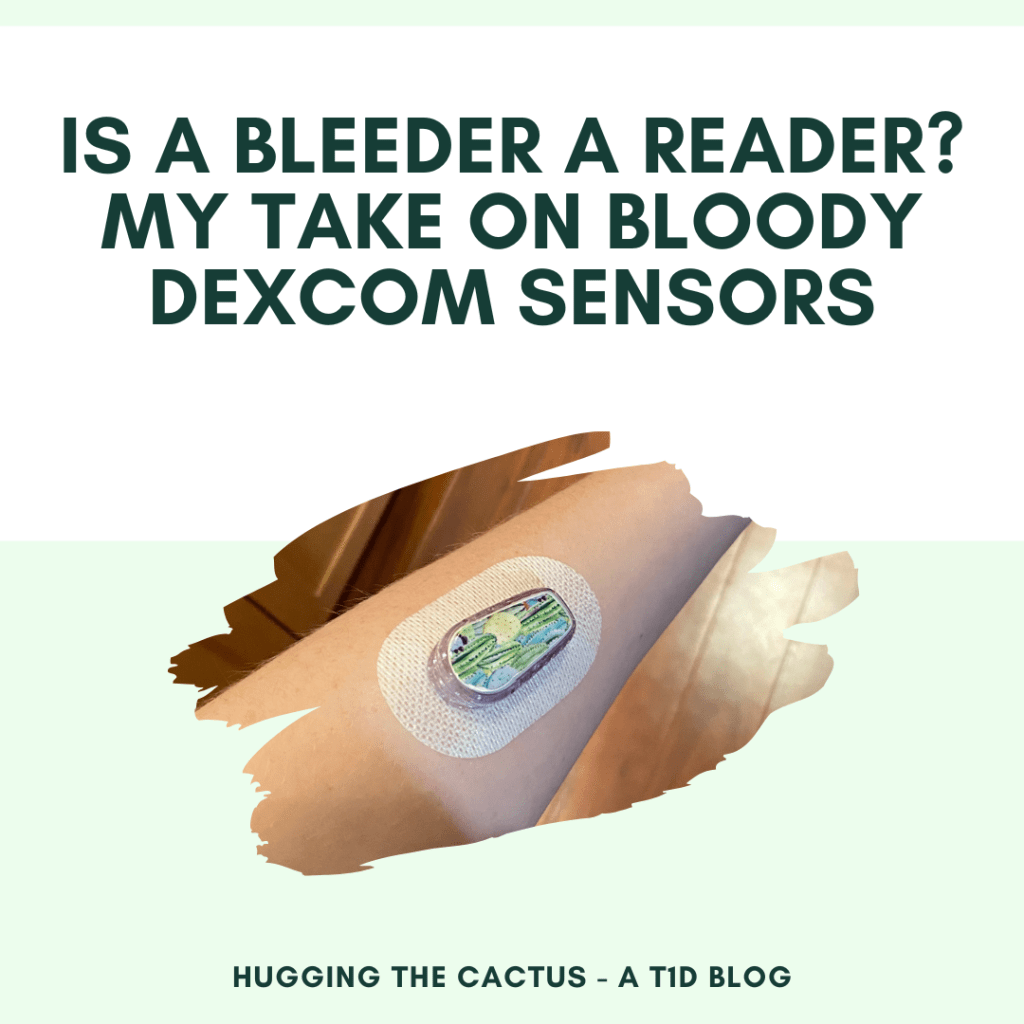
This blog post was originally published on Hugging the Cactus in 2019, and again in 2020. I’m sharing it for a third time because 1) it’s one of the most popular posts I’ve ever written and 2) it’s STILL an issue debate among the diabetes community! My opinion on bleeders being readers hasn’t changed. Read on for more (and be warned that the topic might make you a little squeamish, if you wince when talking about blood).
I placed the new Dexcom G6 sensor on my abdomen, hovering my index finger above the large orange insertion button. I pressed it, exhaling as I felt the minute needle pierce my skin’s surface. I looked down, and started to rub the adhesive in circles to make sure it was stuck, when I saw blood. Not just a drop, but a decent-sized pool forming beneath the sensor. Before long, just about the entire surface of the white adhesive was soaked in red.
Yeah, this was going to be a no-go.
Previous iterations of this post featured some kinda gnarly bloody Dexcom imagery. This time around, I’m sparing you (and me) from that.
It’s pretty rare for me to experience blood at the site of a Dexcom sensor. If I had to put a number on it, I would say less than 10% of my insertions draw blood. An even smaller amount – like, 2% – have caused me to bleed as much I did in the scenario described above. But I know I’m not alone in my bloody sensor experiences – it’s something that many other T1Ds who use a Dexcom have gone through.
There’s a bit of debate, though, that I’ve noticed in the past on Twitter threads and Instagram posts. What to do with a bleeder? Keep it and assume that it’ll read blood sugars normally? Or change it immediately and call Dexcom for a replacement?
Are bleeders readers? Or does it depend?
I’m going to go with…it depends.
Obviously, in that situation I described in the opening of this post, I decided that it wasn’t a good idea to keep the sensor on my body. There was too much blood and I didn’t trust that it would adhere well to my body. I didn’t know how long it would take for the blood to stop (only a few minutes, but still), and I couldn’t be sure that it wouldn’t mess up my readings. On top of that, I wasn’t trying to stain my clothing, if I could help it.
So in that circumstance, I did change my sensor right away, and was glad that the second try resulted in a much cleaner, blood-free insertion. I called Dexcom, explained what happened to the customer support representative, and got a replacement sensor mailed to me.
However, just about any other time I bleed upon a sensor insertion, it tends to be a minuscule amount of blood. I usually don’t even notice until it’s time to replace the sensor, and there’s a bit of dried blood left on the site. Other times, I’ll see small beads of blood forming underneath the spot where the transmitter snaps in. And there’s been a couple of occasions that I’ve bled a fair amount and been totally unaware of it until I caught my reflection in the mirror and noticed the blood staining the white adhesive. And in all of those cases, I’ve kept the sensor on for the full ten days, without noticing any discrepancies in my readings.
All that considered, in my inexpert opinion, I think that bleeders usually are readers and that they’re safe to continue wearing. Of course, there will be exceptions, like when there’s just too much blood to salvage the sensor. But every time I’ve kept using a bloody sensor, I’ve had the same amount of success with its functionality…so yes, I think that for me, bleeders are indeed readers.
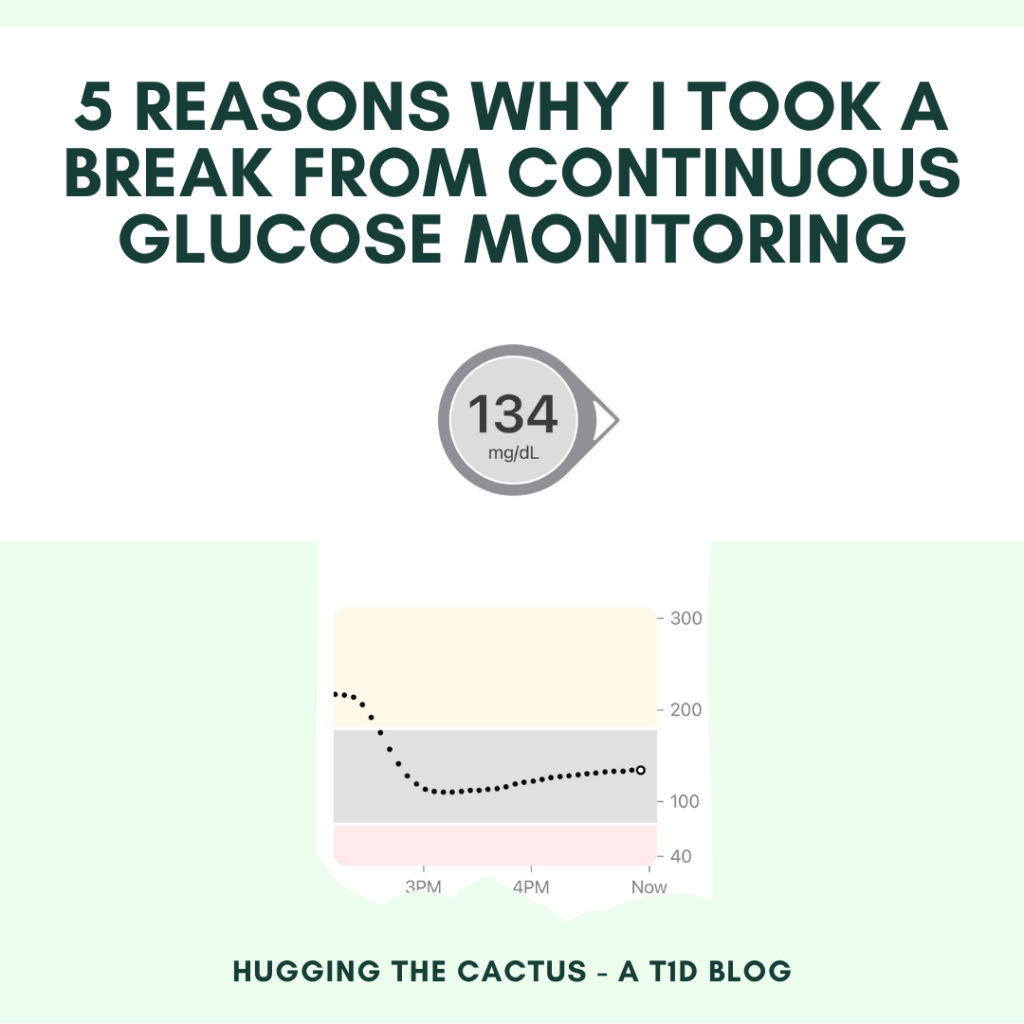
today because it’s a great reminder that diabetes isn’t a static condition – what works for a person with diabetes one day might not work the same way the next. So when I decided to take a Dexcom break, it was a much-needed change in my diabetes care routine that worked wonders for my mental and physical health. I just might take another one after reading this post again…read on for the full story.
I’ve decided to take a break from continuous glucose monitoring. This means that for an undefined period of time – maybe 3-4 days, a week, or a few weeks – I’m not going to wear my Dexcom G6 CGM.
Initially, I wanted to give myself a break because I was just burnt out from wearing it all the time and feeling so dependent on it. But as I started thinking about more, I realized that there were some other really great reasons for me to take a break from my CGM:
1 – I wanted to wear one less device. It can be tough to wear two medical devices 24/7. Sometimes I get super self-conscious of them. Other times they just aren’t comfortable to wear, such as when I roll over one the wrong way when I’m sleeping at night. So it’s nice to feel a little more free with one less device stuck to my body at all times.
2 – I was sick of the constant data feed. All those alarms going off whenever I cross my high or low threshold are straight up annoying!!! I know I could just turn them off on my CGM receivers, but the point of them (for me) is to try to maintain as tight of a control on my numbers as possible. But now that I’m intentionally not wearing my CGM, I’m realizing how much I appreciate the reprieve from all that buzzing and beeping. There’s lots of reasons to take a break from continuous glucose monitoring, but sometimes one is enough.
Taking a break from my Dexcom was a much-needed change in my daily diabetes care routine.
3 – I have some new blood glucose meters to try. The only way that I can really put my new meters to the *test* (lol) is to use them – and goodness knows that I have very little desire to do manual finger stick checks when I’m wearing my CGM.
4 – I’d like to hold myself more accountable. I rely on my Dexcom heavily at all times. I look to it before I start exercising, before I eat something, before I do anything, really. I bolus using the data it provides and trust it implicitly. But I’ve recognized that by developing this habit, I’ve become lazy. I don’t measure out food as much because I figure that if I bolus too much or too little for it, I can just watch what my Dexcom tells me and treat from there. It’s kinda sloppy, in my humble opinion, so I’m trying to put more of the trust back in myself for my diabetes monitoring.
5 – I’m trying to reacquaint myself with my body’s cues. Before CGM technology, I was really good at recognizing high and low blood sugar symptoms…but then I started using a CGM and found myself reacting to highs and lows (e.g., treating them prematurely), even if I didn’t feel those high/low symptoms. So I want to retrain myself so I can make sure I never lose that ability, because I think it’s important to know exactly how my body alerts me to various blood sugars, rather than depending solely on a piece of technology to do it for me.
You’d think that 24 years of living with diabetes would turn anyone into a seasoned veteran of the condition, but even the most experienced people with diabetes slip up and make mistakes every now and then…
Case in point? Me, because I neglected to make sure I had a way of monitoring or checking my blood sugar when exercising…and then experiencing a scary low that I probably could have caught sooner, or maybe even avoided, if I hadn’t been so careless.
This all happened because I inserted a new Dexcom sensor just before taking off for my 3-hour self-defense class. I knew that the sensor’s warm-up period would end and that my continuous blood sugar readings would begin partway through class, so I felt fairly comfortable going without a blood sugar meter as a back-up. After all, my Dexcom sensors almost always start up without any issue, so I was trusting that this one would follow suit.
And that was my biggest mistake: trusting my technology.
Any time I make a rookie diabetes mistake, my palm goes straight to my face in embarassment.
When the warm-up period was complete and the class was taking a quick water break, I decided to check my Dex to see what my first blood sugar readings were. I was surprised (and instantly annoyed) to see that instead of a number, my Dexcom was displaying a request for a blood sugar calibration – just like the old G5s used to ask for upon insertion of a new sensor. I couldn’t understand why this happened, but I knew that pondering the matter wouldn’t make any difference…the only thing that would get my Dexcom running normally again was the finger stick checks, which wouldn’t be possible for me to do until I got home from the class because I was without my meter.
So I had no choice but to rely on nothing but my instincts and sensations in order to get a sense of where my blood sugar was headed for the remainder of the class.
And let me tell you, I can’t remember the last time I felt so vulnerable in terms of my diabetes. I was running on zero information, other than the fact that I typically can feel oncoming low blood sugars and that I tend to feel thirstier when my numbers are on the upswing. It was disconcerting – even more so when a little while later I started to feel shaky and dizzy, like I was starting to go low.
I knew I could either 1) treat what I thought was a low blood sugar and deal with the potential consequences (high blood sugar) when I got home, or 2) take a chance and ignore the low symptoms because I couldn’t confirm whether or not I was actually low. I hate to admit it, but I let a good 15-20 minutes pass before I decided it was better to correct what felt like a low rather than run the risk of passing out in front of the entire class. Turns out that I made the right call to treat my low: I felt much better after I ate some fruit snacks, and my blood sugar when I got home that evening was in the low 80s, indicating that I probably avoided a pretty nasty low in class.
While the whole incident could’ve been easily avoided, it did remind me that I ought to take some of the trust that I have in my technology and distribute it a little more evenly between it and my instincts. I proved to myself that in emergency situations, I don’t need a meter or a CGM to pick up on low blood sugars (though I obviously would prefer to have that equipment at my disposal at all times). Instead, I need to trust my instincts more and procrastinate less when it comes to taking an action – because if I had waited longer than those 15-20 minutes, the situation could’ve escalated and then I would’ve really been kicking myself for leaving my meter at home.
Rookie mistakes suck when they happen, but at least the silver lining is that there’s always a lesson to be learned (or reinforced) when they do.
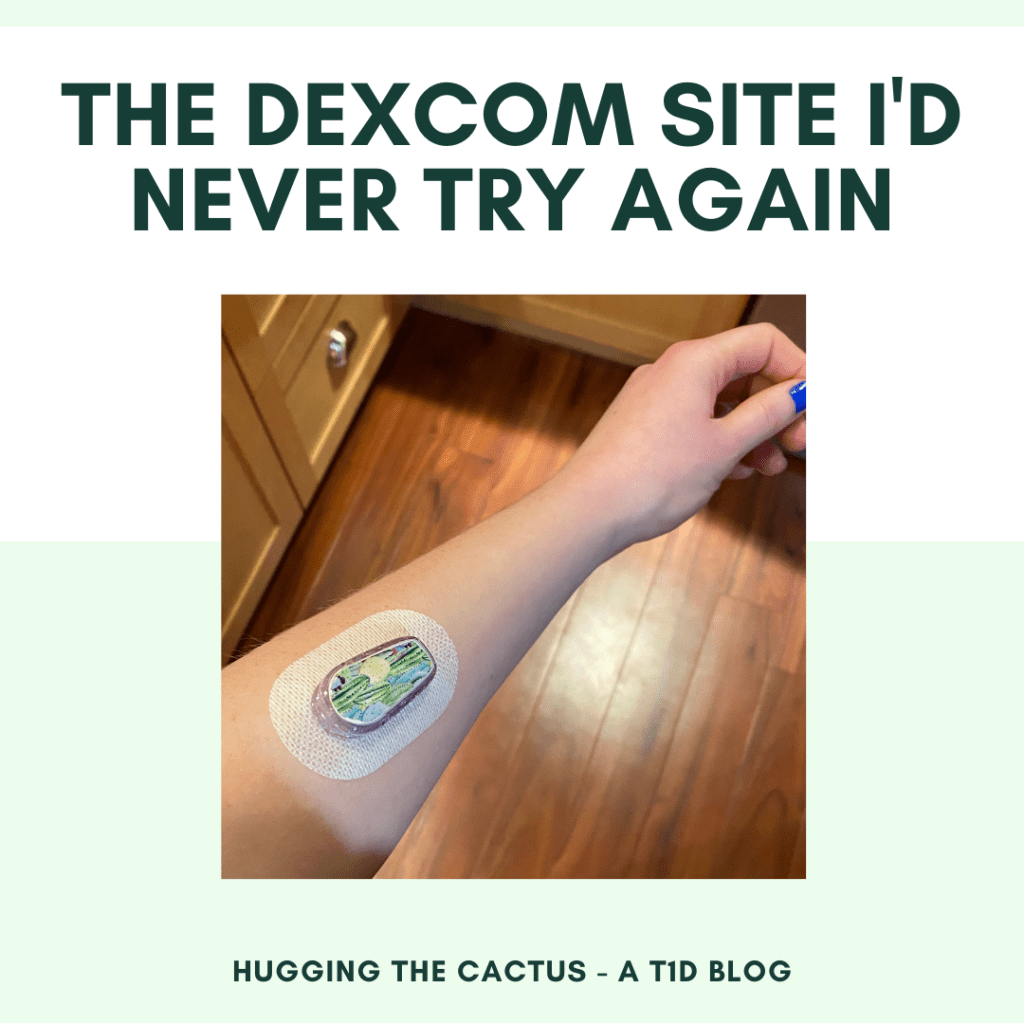
This blog post was originally published on Hugging the Cactus on February 26, 2021. I’m sharing it again today because I see folks trying new Dexcom sites all the time, usually with a lot of success! I thought it was worth it to share my experience with the forearm site because it was the polar opposite of a win for me – read on to learn why.
I don’t usually regret trying new sites for my Dexcom and OmniPod.
But recently, I discovered the one area that I wish I hadn’t tried…and that is my forearm.
The forearm Dexcom site gets a big old NOPE and OUCH from me.
For a couple years now, I’ve seen forearm Dexcom sites all across social media. People lauded the location for how comfortable it is and the accurate readings it produces, so I figured, why not give it a shot? (LOL diabetes humor.)
Plus, I wanted to give my stomach and the backs of my arms a break. I put both pods and sensors in those locations and while I like them a lot, I’m wary of scar tissue building up.
So with little fanfare, I tried putting my Dexcom on my left forearm (my non-dominant arm). And I knew immediately after hitting the orange button to insert the sensor that it was a bad choice because it STUNG. It stung something fierce! I remember wincing the moment it pierced my skin, and fortunately, the pain did go away…but resurged with a vengeance about half the time I made any arm motions. It didn’t matter if I was flexing it up or down or twisting it to reach for something – any movement could trigger varying degrees of pain. Nothing incredibly intolerable, but enough to make this site uncomfortable.
My face says exactly how I feel about this site: It’s not a winner.
And this pain didn’t altogether disappear one day: I still felt stings 24 hours after I put the sensor on. Maybe I hit precisely the wrong spot (I noticed a very small amount of blood discoloring the white adhesive of the sensor), but I asked the diabetes online community and it seems that the general consensus is that this location sucks. The half-dozen or so people who messaged me said that either the pain was too much and they took the sensor off early, or they toughed it out for a full 10 days and never used the site again.
What’s more is that this site wasn’t as out-of-the-way as I wanted it to be. I roll up my sleeves dozens of times each day for different tasks, and each time I went to roll up my left sleeve, I had to go about it gingerly so I didn’t risk bumping into the site and prompting ripples of pain. This was straight-up annoying because my diabetes devices don’t usually inhibit my movements so much.
The one plus-side of trying the new site, and the only thing that motivated me to keep it on for the full 10 days, is that it was just as accurate as any other Dexcom site I’ve tried. My readings matched up pretty closely with how I felt and with what my blood sugar meter reported, so that was a saving grace. And I have to admit that even though I was worried that sleep would be impossible with the sensor in such a tender spot, it really didn’t interfere with my slumbers, which was a relief.
All in all, though, the accuracy wasn’t enough to convince me to want to keep forearm sites in my regular rotation. I’ll stick with abdomen and upper arm sites for now, with the occasional thigh site to further prevent scar tissue.
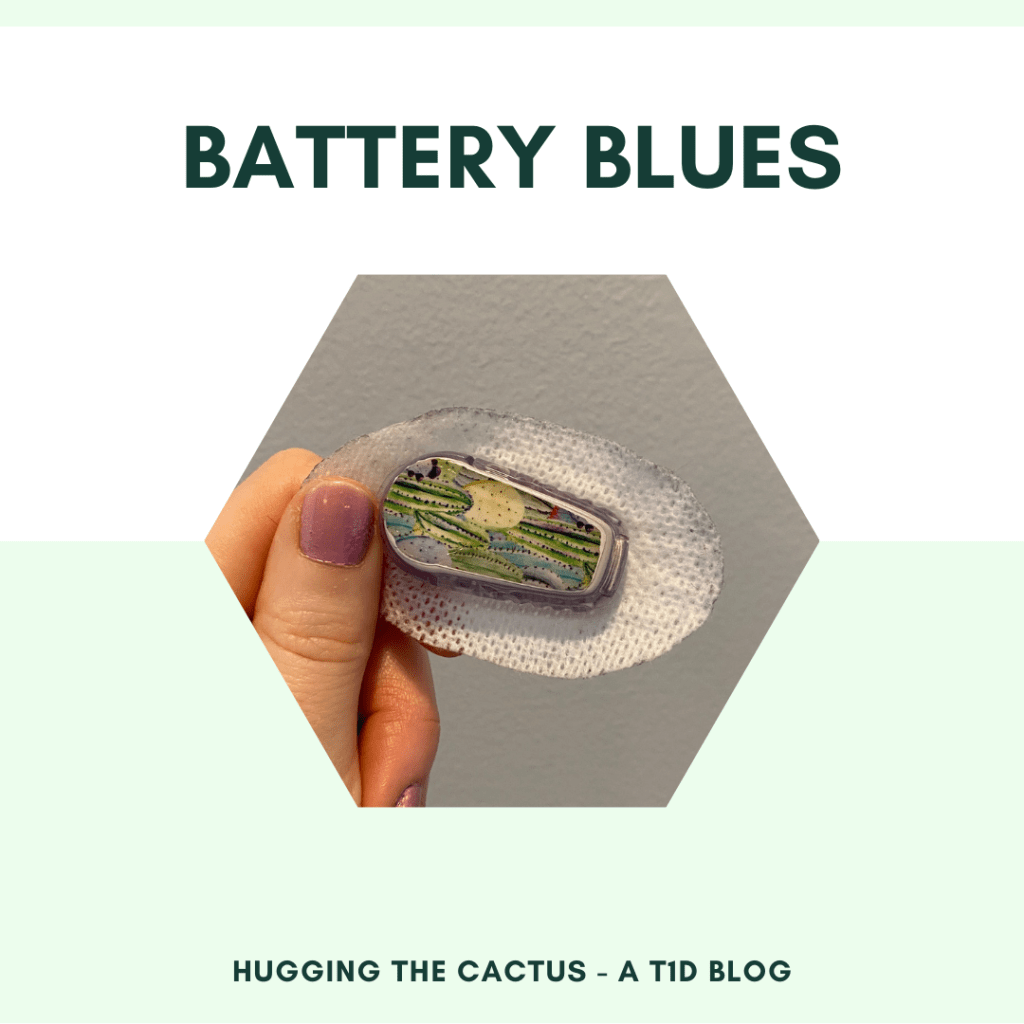
Between this post and the one from a couple of weeks ago, this blog is rapidly turning into one in which I bemoan the battery life of my diabetes devices…
The fact of the matter is, though, that I’ve definitely had my share of battery issues lately. The Omnipod DASH problem was resolved (rather swiftly), thanks to the folks at Insulet. But now it’s my Dexcom transmitter battery that’s acting up…and resulting in a whole lot of lost data (and even more frustration) for me.
If I can’t have a working pancreas can’t my diabetes devices at least have everlasting batteries?
It all started about a week and a half ago, when my Dexcom app notified me that my transmitter battery would be expiring in 3 weeks. That was to be expected – Dexcom transmitter batteries last 90 days, and according to my records, the one I’d been using was for sure approaching the expiry date.
What I didn’t expect was that the waning battery life in my transmitter would trigger multiple false blood sugar readings and periods of no readings whatsoever. At least I think my transmitter is to blame – I hadn’t experienced any issues with sensors from my last shipment and the app usually never experiences errors like this unless there’s a problem with the sensor and/or transmitter, so logic led me to conclude that my transmitter was simply losing reliability as it came closer and closer to its expiration.
My workaround was to do finger stick checks any time I was untrusting of my Dexcom, or whenever it was giving me a “no readings” alert. Plus, I’ve got a fresh transmitter ready to be activated once this one stops working, so it’s not like I’ll be without a Dexcom for an unbearable length of time.
In spite of that, I still thought this was worth talking about here on the blog because 1) I can’t remember if I’ve ever had a transmitter fade so dramatically in the last 3 weeks of its lifespan, 2) it was an exasperating situation and I needed to vent, and 3) I’m wondering if this has ever happened to anyone else before, and if there’s a workaround.
At this moment in time, I’m not quite sure what a feasible solution would be besides ripping a sensor off prematurely and sticking to finger stick checks for a few days until my annoyance ebbs…which is exactly the strategy that I decided to go with. I’m definitely looking forward to new transmitter time…
Imagine receiving the same notification on your phone every 5 minutes…over and over again…nonstop until you actually do what it’s demanding to you.
Sounds maddening, right?
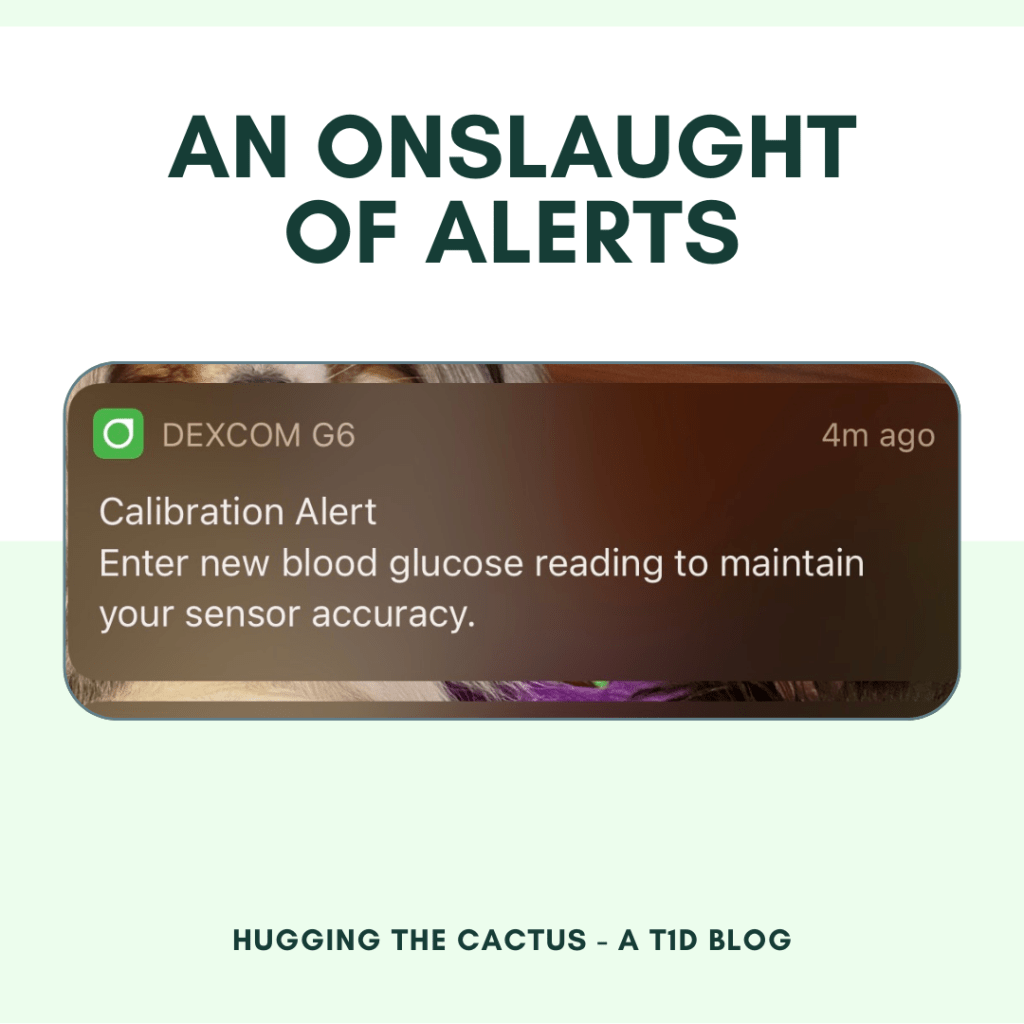
Well, that’s exactly what I experienced with my Dexcom app recently. Every 5 minutes on the dot, I got a “Calibration Alert” push notification that told me to “enter new blood glucose reading to maintain your sensor accuracy”. Doesn’t sound like too big of an ask, right? Why not just do it?
Of course I just did it – the first handful of times that it asked. But when this alert persisted to appear on my phone each day, around 24 hours after I’d calibrated my Dexcom sensor, I started to get super irritated. But I was also confused. I shouldn’t have to calibrate my Dexcom, like, ever. The G6 was designed to make it so calibrations are a thing of the past. I only ever even bother to calibrate it within the first few hours of wear if I feel that the blood sugar it’s reporting is really off, and that usually forces it to correct itself and show far more accurate readings fairly quickly.
So why was my Dexcom being so forceful with the reminders for me to calibrate?
Imagine seeing this alert pop up on your phone…every 5 minutes…for an hour…or 3. That’s a few dozen reminders too many.
I knew that my best shot at finding the answer to this question was by going to the people who are intimately familiar with the ins and outs of Dexcom devices – no, not the manufacturers themselves. I’m talking about my colleagues, of course. (One of the best parts about working at a diabetes nonprofit is that my coworkers and I collectively have 100+ years of diabetes experience under our belts and constantly ask one another for advice or wisdom regarding various diabetes scenarios.)
When I asked them if they’d ever encountered anything like this, one person explained that the CGM can get a little confused if, when after the initial two-hour warm-up period, a super high or a super low blood sugar can trigger the system to get stuck – almost like it’s unsure of what it’s reading. This tracked for me because when I started up this particular sensor, the two-hour warm-up period collided with a particularly nasty low blood sugar of 35. That blood glucose value is low enough that the system can’t even pick up the number “35” – instead, it just shows that I’m “LOW”.
So as a result of this, my sensor was likely just in need of calibrations every 24 hours just to make sure it was working properly. It’s probably in the code of the software or something to prompt users to calibrate every day until the system feels more confident about what it’s reading. That makes sense and all, but dang, is it annoying. Sure, I could’ve silenced the alarms a lot faster if I just calibrated whenever I got the first alert of the day, but my schedule didn’t always allow for that. And besides, after 4 or 5 years of using the Dexcom G6, this T1D has gotten used to no more finger pricks; because of that, it’s hard to go back to old habits.
But hey, it has wound up being another diabetes scenario that I hadn’t experienced yet and just another lesson learned, so while it may have been a bit of a nuisance it was also educational. And I’m okay with that.






 Hugging the Cactus